other
  • Digital Windows All-in-One POS Solution for Modern Retail and Hospitality Businesses
    Digital Windows All-in-One POS Solution for Modern Retail and Hospitality Businesses
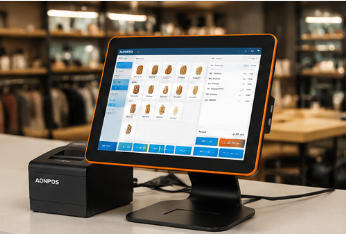
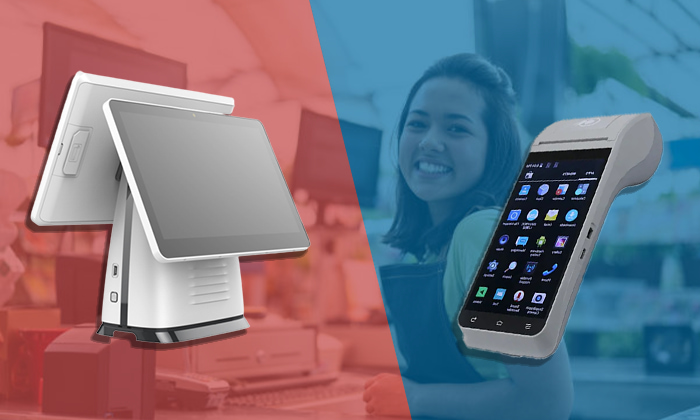
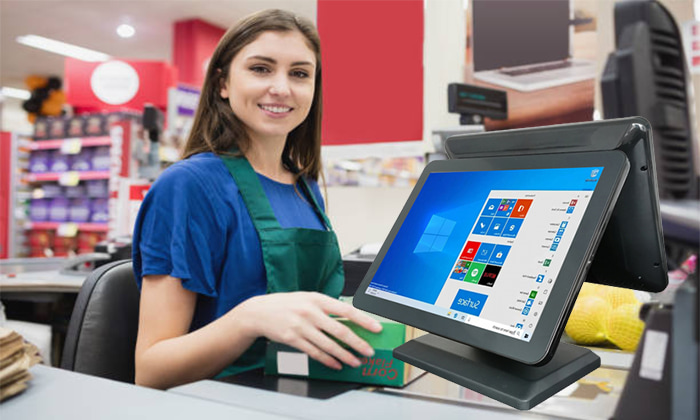
    Modern businesses need more than a basic cash register. They need a dependable point-of-sale platform that connects employees, customers, software, payment devices, and store peripherals at one efficient checkout station. The AONPOS Digital Windows All-in-One POS Solution is designed for retailers, restaurants, cafés, hospitality operators, service businesses, software providers, and system integrators that require stable performance, flexible configuration, and professional commercial hardware. Built around the AONPOS AP07 Windows POS terminal, this solution combines a responsive capacitive touchscreen, configurable computing performance, SSD storage, practical peripheral connectivity, and a modern bezel-free appearance. It helps businesses create organized checkout environments while giving solution providers a flexible hardware foundation for different POS software and deployment requirements. Rather than forcing every project into a fixed configuration, AONPOS supports tailored hardware options for different industries, transaction volumes, budgets, and regional requirements. The Operational Challenges Businesses Need to Solve A checkout station is one of the most important operational points in a retail or hospitality business. When the hardware is slow, unstable, difficult to operate, or incompatible with essential peripherals, the effects are immediately visible. Employees may need more time to complete transactions. Customers may wait longer during peak periods. Peripheral connection problems can interrupt printing, scanning, payment processing, or cash drawer operation. Outdated equipment can also make a modern store look less professional. Businesses commonly face several POS hardware challenges: Slow transaction processing during busy hours Limited compatibility with business software Complicated combinations of separate computers and monitors Insufficient interfaces for printers, scanners, and payment devices Difficult maintenance and inconsistent hardware configurations Limited customization for software deployment or brand projects Bulky checkout counters with excessive cables Hardware that cannot support future business expansion The AONPOS Digital Windows All-in-One POS Solution addresses these issues by integrating the essential computer and touchscreen components into a compact commercial terminal. This reduces hardware complexity while maintaining the flexibility required for a complete POS workstation. A Flexible Windows POS Hardware Foundation Windows remains an important operating environment for many retail, restaurant, hospitality, and business-management applications. Many established POS software platforms, inventory programs, ERP applications, membership systems, and back-office tools are developed for Windows-based hardware. The AONPOS AP07 provides a practical platform for these applications. Businesses and integrators can install suitable Windows-compatible POS software according to their local market, business model, and management requirements. Depending on the software being deployed, a complete Windows POS solution may support functions such as: Product and SKU management Order entry and transaction processing Inventory monitoring Employee account management Customer and membership records Discount and promotion management Sales reporting Table and menu management Multi-store data synchronization Accounting or ERP integration AONPOS supplies the hardware platform rather than limiting buyers to one proprietary POS application. This gives software companies, distributors, and system integrators greater freedom to build solutions around their preferred software ecosystem. For a broader view of available terminal styles and configurations, buyers can explore the complete AONPOS POS system range. Modern All-in-One Design for Professional Checkout Counters The visual appearance and physical organization of a checkout station influence both staff efficiency and customer perception. The AP07 uses a modern bezel-free design that helps create a clean, contemporary point-of-sale environment. Its all-in-one structure combines the touchscreen and computer hardware in one terminal, reducing the need for a separate desktop computer and external monitor. This integrated design offers several practical advantages. First, it helps save counter space. This is valuable for boutiques, convenience stores, cafés, bakeries, salons, reception desks, and smaller service counters where every part of the workspace must be used effectively. Second, it can reduce cable clutter. A more organized counter is easier to clean, easier to maintain, and more comfortable for employees to use throughout the working day. Third, the streamlined design presents a more professional image. Customers increasingly expect digital, responsive, and visually organized service environments. A modern touchscreen terminal supports this expectation without distracting from the store’s interior design or branding. The AP07 is available with 15-inch or 15.6-inch touchscreen options, allowing buyers to select an appropriate display format for their application and software interface. Responsive Capacitive Touchscreen Operation POS employees frequently repeat the same actions hundreds of times each day. They select products, enter quantities, apply discounts, search for items, choose payment methods, confirm orders, and print receipts. A responsive touchscreen can therefore make a meaningful difference to daily productivity. The AP07 uses capacitive touch technology, providing an intuitive operating experience for modern graphical POS interfaces. Employees can navigate menus, product buttons, order lists, and transaction screens directly on the display without relying entirely on a keyboard and mouse. Capacitive touchscreens are especially appropriate for visually organized software with large icons, product categories, quick-action buttons, and gesture-based navigation. They can also reduce the training time required for new employees when the software interface is properly designed. For businesses evaluating different touchscreen technologies, the AONPOS guide to capacitive and resistive POS touchscreens provides additional guidance on selecting the appropriate screen type. Configurable Performance for Different Workloads Not every business runs the same software or processes the same transaction volume. A small independent shop may require a lightweight checkout application, while a restaurant chain, supermarket, or integrated management project may need stronger processing performance. The AP07 can be configured with several processor options, including Intel J4125, Core i3, and Core i5 platforms. Memory and SSD capacities can also be selected according to project requirements. Available configuration options include: Intel J4125, Core i3, or Core i5 processor 2GB, 4GB, or 8GB memory options 32GB, 64GB, 128GB, or 256GB mSATA SSD options 15-inch or 15.6-inch touchscreen configurations This flexibility enables buyers to balance performance and cost. A basic configuration may be suitable for straightforward billing, order entry, and payment workflows. A higher specification may be more appropriate when the terminal must run a larger database, connect with multiple management applications, process detailed reports, or support more demanding software. AONPOS works with buyers to identify an appropriate configuration based on the operating system, software workload, peripheral requirements, expected transaction volume, and target market. SSD Storage for Responsive Daily Operation Storage performance is another important part of a commercial POS terminal. The AP07 uses mSATA SSD storage rather than relying on a traditional mechanical hard drive. SSD technology can support faster system startup, more responsive application loading, and improved resistance to the physical movement or vibration that may occur in commercial environments. Because the terminal offers multiple SSD capacities, businesses can select storage according to the size of their software installation, local database, product records, reports, and other files. For cloud-connected POS applications, a smaller local drive may be sufficient. Projects that store more information locally or install additional management software may benefit from a higher-capacity option. The final configuration should always be evaluated together with the software provider. POS hardware and POS software perform different but closely connected roles, as explained in the AONPOS article on POS software versus POS hardware. Peripheral Integration for a Complete POS Workstation An all-in-one terminal becomes a complete point-of-sale solution when it is connected with the correct peripherals. Depending on the business model, the AP07 can form the center of a workstation that includes: Thermal receipt printer Barcode or QR code scanner Cash drawer Customer-facing display Payment terminal Magnetic stripe reader Keyboard and mouse Label printer Electronic scale Wi-Fi or network equipment The exact peripheral combination should be selected according to the application. A fashion retailer may need a barcode scanner, receipt printer, cash drawer, and card payment device. A restaurant may prioritize a kitchen printer, customer display, cash drawer, and ordering software. A grocery store may require faster scanning, scale integration, durable receipt printing, and reliable operation during long business hours. AONPOS also manufactures and supplies complementary POS hardware, helping buyers coordinate terminals and peripherals within one purchasing or customization project. Retail Store Solution In retail environments, the AP07 can serve as the main checkout computer for product selection, barcode scanning, inventory updates, payment confirmation, receipt printing, and customer management. Potential applications include: Fashion and footwear stores Electronics shops Convenience stores Supermarkets and grocery stores Pharmacies Cosmetics stores Specialty retailers Gift and souvenir shops Bookstores Hardware stores The terminal’s touchscreen interface allows cashiers to access frequently used functions quickly, while the Windows platform supports many established retail POS software applications. For high-volume grocery and supermarket projects, additional peripherals and software functions may be required, including scales, high-speed scanners, customer displays, loyalty tools, and inventory synchronization. Buyers planning these deployments can review the AONPOS grocery store POS hardware guide for further system-planning considerations. Restaurant, Café, and Hospitality Solution Restaurants and cafés require a POS terminal that supports fast order entry and clear communication between front-of-house employees, payment stations, and kitchen operations. When combined with suitable restaurant software, the AP07 can support: Menu and category selection Table management Takeaway and dine-in orders Order modifications Discount management Bill splitting Receipt and kitchen printing Shift management Daily sales reporting Customer and loyalty programs The touchscreen format is particularly useful for restaurant software that organizes products into visual categories. Employees can quickly select menu items, customize orders, and send instructions to the appropriate preparation area. The AP07 may be used in cafés, bakeries, quick-service restaurants, casual dining locations, bars, food courts, hotel counters, and other hospitality environments. A complete restaurant deployment should also consider receipt printers, kitchen printers, cash drawers, barcode or QR scanners, payment devices, and networking equipment. Additional planning guidance is available in the AONPOS article on restaurant POS hardware. Solution for POS Software Companies and System Integrators The AP07 is not only intended for end users. It also provides a configurable hardware platform for POS software developers, distributors, project contractors, and system integrators. These partners often need hardware that can be adapted to different customer environments while maintaining a consistent product appearance and component specification. AONPOS can support projects involving: Software pre-installation Operating-system configuration Hardware specification selection Peripheral compatibility evaluation Customized logos and branding Packaging customization Interface and accessory selection Sample testing before volume deployment OEM and ODM project development Batch production for regional distribution Before volume production, buyers should provide detailed information about their software, operating system, required drivers, peripherals, ports, installation method, and target application. This allows the hardware configuration to be evaluated more accurately. Sample testing is recommended whenever the terminal will be combined with specialized software or third-party peripherals. OEM and ODM Support from AONPOS AONPOS is a professional POS hardware manufacturer based in Shenzhen, China. The company focuses on the development and production of all-in-one touch POS terminals, touch monitors, kiosks, handheld terminals, printers, scanners, monitor stands, and related checkout equipment. For distributors and solution providers, manufacturing flexibility can be as important as the terminal itself. AONPOS OEM and ODM services may include product configuration, appearance adjustments, logo application, packaging, accessory selection, and project-based hardware development. The available customization scope depends on the order quantity, technical requirements, certification requirements, and project schedule. This service model makes the AP07 suitable for companies that want to build their own POS product line, bundle hardware with software, supply standardized terminals to franchise locations, or develop a region-specific checkout solution. More information about the company and its broader capabilities is available on the AONPOS official website. A Practical Deployment Process A successful POS project begins before the hardware is ordered. AONPOS recommends evaluating the complete operating environment rather than selecting a terminal only by appearance or price. A practical deployment process includes the following stages: 1. Define the Business Scenario Identify the industry, number of checkout stations, transaction volume, operating hours, employee workflow, and physical counter space. 2. Confirm the Software Requirements Provide the operating-system version, processor requirements, memory requirements, storage requirements, database size, and any special driver needs. 3. List All Required Peripherals Confirm the printer, scanner, cash drawer, customer display, payment terminal, scale, network connection, and any other external device. 4. Select the Hardware Configuration Choose the appropriate processor, memory, SSD capacity, touchscreen size, and optional accessories. 5. Conduct Compatibility Testing Test the POS software and all required peripherals on a sample unit before approving a larger order. 6. Prepare Installation and Training Create standardized installation procedures, employee instructions, network settings, backup procedures, and basic maintenance guidance. 7. Plan Ongoing Support Define how software updates, spare parts, technical support, peripheral replacement, and terminal maintenance will be managed after deployment. This structured process reduces technical uncertainty and helps buyers create a solution that is suitable for real daily operations. Why Choose the AONPOS Digital Windows All-in-One POS Solution? The value of this solution lies in its balance of design, flexibility, and deployment support. Businesses receive a modern Windows-based touchscreen terminal that can be configured for different performance needs. Integrators gain a practical platform for software installation and peripheral connection. Distributors can work with AONPOS on branding, configurations, packaging, and volume projects. Key advantages include: Modern bezel-free commercial design Integrated touchscreen and computer structure 15-inch and 15.6-inch display options Capacitive touch operation Multiple Intel processor configurations Flexible memory and SSD options Compatibility with Windows-based business software Support for common POS peripherals Suitability for retail and hospitality applications OEM and ODM customization support Sample testing and project-based configuration Direct cooperation with an experienced POS hardware manufacturer Build a Reliable POS Solution with AONPOS A successful point-of-sale system is not created by one device alone. It requires the correct combination of terminal performance, software compatibility, peripheral integration, installation planning, and after-sales support. The AONPOS AP07 Digital Windows All-in-One POS provides a flexible foundation for that complete system. Whether you are opening a new store, replacing outdated cash registers, deploying restaurant checkout stations, expanding a software-and-hardware package, or developing a customized POS product for your market, AONPOS can help you evaluate the hardware configuration and build a solution around your project requirements. Contact AONPOS with your software specifications, required peripherals, expected order quantity, target application, and customization needs to begin planning your Windows all-in-one POS solution.
    - July 31, 2026
  • Empowering Retail Payments with Instant Convenience: Shenzhen Aonpos Technology Co., Ltd.
    Empowering Retail Payments with Instant Convenience: Shenzhen Aonpos Technology Co., Ltd.
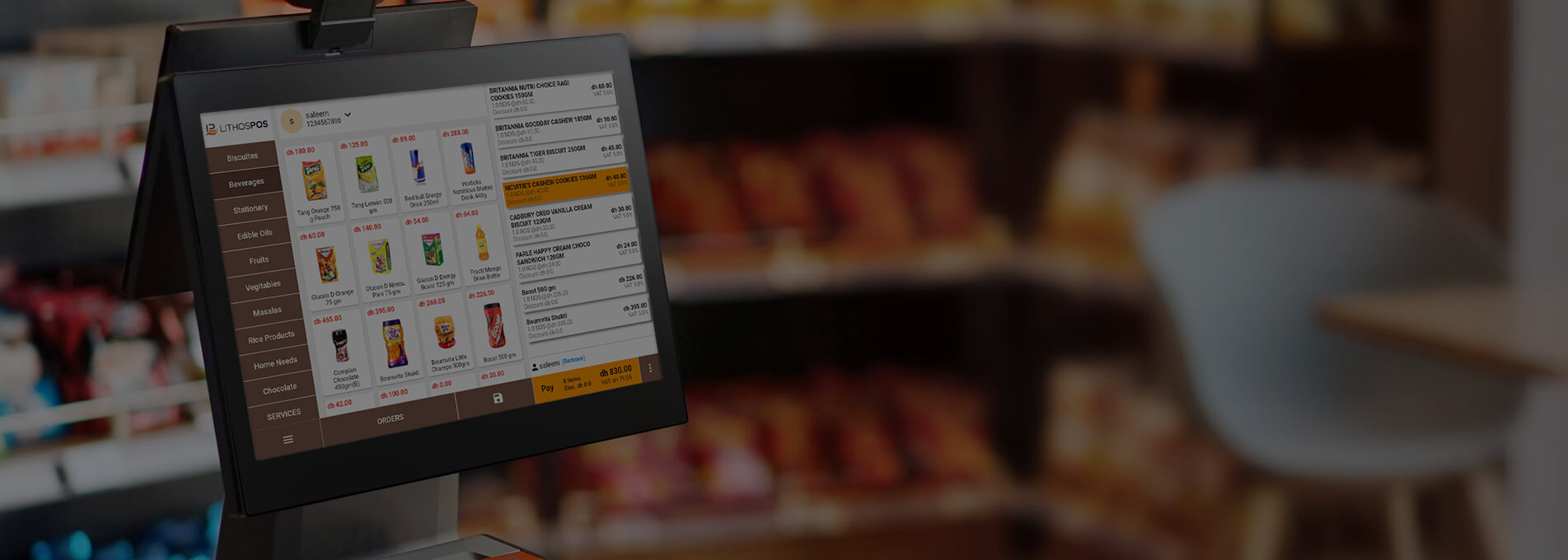
    In the era of digital transformation, the retail industry faces new challenges and opportunities. Amidst this ever-evolving landscape, Shenzhen Aonpos Technology Co., Ltd. has emerged as a prominent player in the realm of retail payments, offering exceptional products and services. As a company committed to creating advanced retail payment solutions, Shenzhen Aonpos Technology Co., Ltd. has meticulously designed and developed a range of efficient and reliable products, including cash registers, payment terminals, and all-in-one point-of-sale systems. These products not only deliver outstanding performance but also incorporate the latest technological trends and industry requirements, providing retailers with comprehensive solutions. Shenzhen Aonpos Technology Co., Ltd. places a strong emphasis on user experience and operational convenience with its products. Through intuitive interface designs and intelligent functionalities, our products cater to the needs of retailers of all scales. Whether it's a small retail store or a large chain supermarket, our solutions enable efficient payment services while seamlessly integrating with other vital retail operations. Our team comprises skilled and experienced professionals who possess in-depth knowledge of the retail industry and stay abreast of the latest trends. Through continuous innovation and improvement, we not only offer cutting-edge technological solutions but also provide customized development based on customer feedback and requirements. In addition to top-quality products and a professional team, Shenzhen Aonpos Technology Co., Ltd. values close collaboration and ongoing support with its customers. With a customer-centric approach, we establish long-term partnerships and provide comprehensive after-sales support and training to ensure our clients fully leverage our products and services, enhancing their retail efficiency and competitiveness. Shenzhen Aonpos Technology Co., Ltd. strives for technological innovation and excellent product quality, dedicated to del
    - June 03, 2023
  • The Choice of a Disruptor: How Aonpos Revitalized a Century-Old Italian Supermarket with Smart Innovation
    The Choice of a Disruptor: How Aonpos Revitalized a Century-Old Italian Supermarket with Smart Innovation
    Customer Background‌ Luca Rossi, third-generation heir to a traditional Milan-based supermarket chain, manages 12 community stores. Facing e-commerce competition and rising labor costs, he recognized the urgent need for modernization: 80% of checkout equipment still relied on 1990s-era mechanical POS systems, with average transaction times exceeding 7 minutes and a 40% among younger customers ‌The Spark of Revolution: A Google Search‌ On Christmas Eve 2023, Luca discovered Aonpostech’s product page while searching for “Self-Checkout Kiosk” The system’s ‌16.5/21.5/32-inch modular screens‌, high-precision scanners, and customizable accessories (e.g., ToF cameras, NFC card readers, and cash payment modules) aligned perfectly with his vision for flexible, future-proof retailKey reasons for choosing Aonpos: ‌Outdated Systems‌: Legacy devices lacked integrations for digital membership or mobile ordering ‌Costly Delays‌: Local Italian suppliers demanded €30,000 and 6 months for basic customizations ‌Rigid Scenarios‌: Traditional setups required manual oversight and struggled with dynamic retail demands ‌Aonpos’ Breakthrough Solution‌ During a video call with Aonpos’ technical director Li Ming, Luca witnessed: ‌Modular Architecture‌: Lego-like flexibility to combine facial recognition, NFC payments, and adjustable stand/desktop configurations ‌Rapid Customization‌: 10-day prototype delivery via Aonpos’ in-house factory, enabling tailored 3D designs ‌Scenario Adaptability‌: IP65-rated durability and -15°C to 40°C operability for, outdoor markets, and more ‌Validation in Shenzhen (January 2024)‌ Luca personally tested Aonpos’ capabilities: Machines withstood 50°C heat simulating Italian summer conditions ‌Live Demos‌: Staff mastered NFC payments, component replacement, and height adjustments within 1 hour ‌Certification‌: CE-RED compliance achieved in 3 months with Aonpos’ EU team support ‌Market Trial: Milan Flagship Store (October 2024)‌ Four pilot units transformed operations: ‌Smart Fresh Zone‌: NFC checkout slashed labor by 80% ‌Coffee Pop-Up‌: Voice-ordering + latte art customization boosted客单价25% ‌Data Dashboard‌: Real-time analytics improved inventory turnover by 180% ‌Strategic Leap‌ Post-trial results stunned the board: Peak-hour foot traffic ↑65% Labor costs ↓42% Youth customer share surged from 23% to 58%Luca signed a 1,000-unit order and initiated exclusive distribution talks: “This isn’t just an upgrade—it’s a retail DNA overhaul. Aonpos compressed a decade of digitization into three months.” ‌Future Roadmap (2025)‌ Waterproof terminals for Venice’s floating markets Farm-to-screen traceability with local growers Integration into Italy’s postal payment ecosystem via Aonpos’ open platform ‌Epilogue‌ As Luca watched customers complete self-checkout in 15 seconds, he recalled his grandfather’s 1948 photo introducing Italy’s first electric cash register. True legacy lies not in clinging to the past, but in embracing change—a lesson Aonpos helped crystallize (Explore Aonpos’ European customization services via the link below.)
    - February 25, 2025
  • Advantages of Desktop POS Systems in the Retail Industry: Stability, Efficiency, and Flexibility
    Advantages of Desktop POS Systems in the Retail Industry: Stability, Efficiency, and Flexibility
    Desktop POS machines have a series of unique advantages compared to handheld ePOS in the retail industry. Firstly, desktop all in one POS machines are connected to computers or servers via wired connections, such as Ethernet, ensuring stability and reliability. This type of connection reduces the risk of signal loss or interruptions, making data transmission and transaction processing more reliable. Additionally, desktop POS system typically come with larger screens and physical keyboards, providing a more convenient means of operation and input. Merchants can easily view and process transaction information without relying on small screens and touch keyboards. Moreover, desktop point of sale generally have more powerful processing capabilities and offer richer functionalities. Supermarket atm machine applications and support various business functions such as inventory management, report generation, and customer management. This makes desktop payment terminal an ideal choice for handling complex operations, particularly in large-scale retail stores. Furthermore, desktop POS terminals offer higher expandability. They provide multiple expansion interfaces and slots, allowing connection to a range of external devices such as printers, barcode scanners, and cash drawers. This enables merchants to customize and expand their billing terminals according to their specific needs, catering to different business requirements. Besides, as desktop cashier register are typically fixed on counters or cashier desks, they are less prone to movement or loss. This reduces the risk of misplacement or theft and allows merchants to better monitor and control the usage of POS cashier. To conclude, desktop POS cashier system offer advantages such as stability, larger screens and keyboards, powerful processing capabilities, versatile expandability, and fixed positioning. They provide merchants with a more reliable, efficient, and flexible payment processing solution. Whether in large-scale retail stores or other settings requiring complex business operations, desktop billing machine assist merchants in effectively managing and operating their businesses
    - June 29, 2023
  • The following are 12 points for attention of POS cash register
    The following are 12 points for attention of POS cash register
    The following are 12 points for attention of POS cash register1. Choose a flat and vibration-free table to place the all in one pos.2. The location of the touch pos should be selected to avoid direct sunlight, where the temperature does not change much, away from water and less dusty.3. Please keep the pos conputer away from strong electromagnetic fields.4. In areas or shops with poor power grid quality, a regulated power supply should be equipped to provide separate power supply to the pos devices.5. Please pay attention to use the same power supply voltage as marked on the nameplate on the back of the case, otherwise the machine will be seriously damaged or cannot work. The pos computer is best not to share a socket with other high-power frequently-started electrical appliances, such as refrigerators and air conditioners. The power socket should also be located close to the cash register and easy to plug in, so that the power can be cut off as soon as possible in an emergency.6. Make sure that the pos billing machine is not in contact with any liquid. Once this happens, please unplug the power plug immediately and notify the relevant dealer immediately.7. Do not vibrate, shake or hit the pos terminal vigorously.8. Avoid using the pos equipment in an environment with too high or too low temperature, and avoid exposing the cash register to strong sunlight or an environment with high humidity.9. Do not plug or unplug the live parts and peripherals of the retail pos when it is charged.10. When cleaning the pos hardware, please do not use a damp rag or chemicals to wipe the machine body. Such as: gasoline, thinner, etc.11. When the point of sale pos breaks down, immediately cut off the power supply and stop using it. Do not disassemble or repair it by yourself.12. Improper battery replacement may cause explosion hazard. Use only replacement parts of the same or equivalent type recommended by the manufacturer. Always dispose of spent batteries according to the manufacturer's instructions.POS cash register machine maintenance requirements:Although the operating procedures of different pos machine hardware are different, the requirements for maintenance and maintenance are basically the same. Generally, the following aspects must be done:1. The appearance of the pos machine should be kept clean and tidy: it is not allowed to place items on the machine, and it should be waterproof, dustproof and oil-proof.2. All related power transformers and UPS should be opened separately to prevent the equipment from burning out due to overheating.3. The action should be light, especially to prevent vibration when opening and closing the cash drawer.4. The connection of the power cord should be safe and fixed, and the pos solutions machine and internal components cannot be moved arbitrarily.5. After the power is turned off, turn it on at least one minute later, do not turn it on and off frequently, and check the printing ribbon and printing paper frequently, replace the ribbon and printing paper in time, and keep the inside of the printer clean.6. Regularly clean the machine: remove dust and stains.7. A special person should be appointed to be responsible for the daily maintenance work, so that he can skillfully eliminate general faults, replace the ribbon in time, and ensure the normal operation of the pos computer.
    - May 16, 2023
  • Troubleshooting and troubleshooting of cash registers
    Troubleshooting and troubleshooting of cash registers
    As a common equipment in commercial supermarkets, cash registers have a high probability of failure due to frequent use. Equipment failure due to changes in external power supply or external environment may also cause hardware failure due to severe collisions during transportation and aging of long-term use parts. Under normal circumstances, the main faults of the pos system are concentrated in: cash drawer, printer, customer display screen, scanner and cash register host. Let's take a look at the common faults and troubleshooting methods of pos terminal. Pos computer host 1. There is no response when booting, and there is no display Please check whether the power supply is powered on; the all in one epos host responds when it is turned on, but the monitor has no display. When the power indicator light is on, check whether the signal cable of the monitor is plugged in properly. 2. There is an unknown sound when pos solutions starting up The memory stick is badly connected. 3. There are texts displayed on the black screen when starting up, but the operating system cannot be enteredThe hard disk cannot be checked, and COMS is not set properly.4. An English file prompt appears when entering the operating systemThe startup file of the operating system is damaged, please repair the windows operating system. Or reinstall windows.5. Crash, freeze, blue screen from time to time.Stuck situation: There are too many junk files in the system, too many junk software or plug-ins, use anti-virus software to clean up junk or uninstall redundant software. Uninstall the antivirus software after completion.Crash, blue screen: mostly viruses and Trojan horses in the system. Please use anti-virus software to check and kill viruses. If there is no effect, it is mostly a hardware failure, please get it for after-sales maintenance. The cash box problem 1. The cash drawer of the cash register cannot be opened or closed.This phenomenon is also the most common. The reason may be that during the process of collecting money from the cash register, the banknotes slipped into the back of the cash drawer drawer of the cash register, causing it to be stuck on the hook in the cash drawer, and then the cash drawer of the cash register cannot be closed. on the problem. At this time, we only need to pull out the drawer and take out the stuck banknotes to solve the problem.the2. The cash drawer of the cash register cannot be opened
    - May 16, 2023
  • Enhance Your Business Efficiency with Top 10 POS System Hardware Vendors
    Enhance Your Business Efficiency with Top 10 POS System Hardware Vendors
    Efficient and reliable point-of-sale (POS) hardware is essential for businesses to streamline their operations and provide seamless customer experiences. In this article, we will explore the top 10 POS system hardware vendors who have gained recognition for delivering high-quality solutions to businesses across various industries. Ingenico Group: Ingenico Group is a global leader in secure payment solutions, offering a wide range of POS terminals. Their pos hardware combines cutting-edge technology with robust security features, enabling businesses to process payments efficiently and securely. Verifone: Verifone is another prominent name in the All in one POS hardware market, providing an extensive lineup of terminals and payment solutions. Their devices are known for their durability, user-friendly interfaces, and compatibility with various payment methods. PAX Technology: PAX Technology specializes in innovative payment solutions, including a diverse range of POS machine Their pos devices offer advanced features such as touchscreen displays, wireless connectivity, and compatibility with contactless payment methods. Elo Touch Solutions: Elo Touch Solutions is renowned for its touchscreen display solutions, including POS systems. Their cash register hardware combines intuitive touch interfaces with durability, making them ideal for businesses that prioritize user-friendly experiences. NCR Corporation: NCR Corporation not only offers software solutions but also provides robust Touch POS hardware. Their terminals are designed to withstand demanding environments while offering fast and reliable performance, making them suitable for various industries. HP Inc.: HP Inc. is a trusted name in the technology industry, known for its range of reliable and high-performance POS computer hardware. Their devices offer a blend of sleek design, powerful performance, and compatibility with different software systems. Star Micronics: Star Micronics specializes in POS solutions hardware, including receipt printers and cash drawers. Their products are known for their durability, ease of integration, and compatibility with a wide range of POS systems. Epson: Epson is a well-established brand that provides reliable POS printers and scanners. Their devices offer fast and accurate printing, high-resolution scanning, and seamless integration with various POS software. APG Cash Drawer: APG Cash Drawer focuses specifically on cash drawer solutions for POS systems. Their cash drawers are built to withstand high-volume usage, offer secure cash management, and integrate smoothly with other hardware components. Bixolon: Bixolon is a leading manufacturer of POS printers, including thermal and impact printers. Their devices are known for their printing speed, print quality, and compatibility with different operating systems and software platforms. Conclusion: Investing in high-quality POS system hardware is crucial for businesses seeking to optimize their operations and deliver exceptional customer experiences. The top 10 POS hardware vendors mentioned in this article offer a range of reliable and feature-rich solutions that cater to different business needs. Consider your specific requirements and explore these options to find the perfect electronics POS hardware vendor that aligns with your business goals and enhances your
    - June 03, 2023
  • Understanding Payment Trends Across Different Countries
    Understanding Payment Trends Across Different Countries
    Introduction: In the era of digital transformation, payment habits and characteristics vary significantly due to cultural, technological, and economic factors. This article explores the payment methods of several countries, along with their distinct payment characteristics, and examines how the adoption of POS terminals impacts business ecosystems and payment experiences. 1. United States: Dominance of Credit Cards and Emergence of Mobile Payments Credit and debit cards reign supreme in the United States, yet the emergence of mobile payment apps like Apple Pay and Google Pay is gradually reshaping the payment landscape. As a result, the utilization of mobile payment POS terminals has become commonplace across diverse retail and service sectors. 2. Europe: Diverse Payment Habits and Comprehensive POS System Integration European nations offer a plethora of payment choices, encompassing credit cards, debit cards, mobile payments, and bank transfers. All on one POS machine are extensively adopted in Europe across various industries, catering to the diverse payment preferences of consumers. 3. Africa: Pioneering Mobile Payment Adoption Certain African countries lead the way in mobile payments due to the widespread availability of mobile phones. For instance, Kenya's M-Pesa revolutionized mobile payments. Hendhold POS terminals, in tandem with mobile payments, have positively influenced both urban and rural commercial ecosystems. 4. China: The Rise of Mobile Payment China is renowned for its rapid evolution in mobile payments. Apps like Alipay and WeChat Pay have become an integral part of everyday life. This convenience has also led to an increased adoption of Cash Register Device, especially in retail and dining sectors. 5. India: Expanding Digital Payments Amid Challenges India is witnessing a dynamic expansion of digital payments, driven by technologies like Unified Payments Interface (UPI). While digital payment machine are gaining traction, POS terminal adoption remains relatively lower, partly due to technical and infrastructural challenges faced in certain regions. Conclusion: The payment habits, characteristics, and POS terminal adoption rates across various countries are intricately interwoven, shaping business dynamics and altering payment experiences. Understanding these variations empowers merchants and payment providers to cater to consumer needs effectively, fostering innovation and convenience in payment methods on a global scale.
    - August 24, 2023
  • How To Protect Your Desktop POS Machine?
    How To Protect Your Desktop POS Machine?
    Ensuring the security and stability of your retail cash regaiter is essential for seamless business operations. In this article, we delve into methods that can help safeguard and maintain your desktop POS system, optimizing its longevity and ensuring secure payment transactions. 1. Secure Location: - Place your Touch Screen POS System in a secure area, away from high traffic zones and potential theft risks. - If feasible, keep the system in a restricted access area to ensure only authorized personnel can access it. 2. Physical Protection: - Utilize locks or protective casings to shield your Desktop POS Machine from external impact and physical damage. - If you have a touch screen, consider using screen protectors to prevent scratches and fingerprints. 3. Hardware Maintenance: - Regularly clean the keyboard, screen, and other hardware components to prevent dust and dirt buildup that can affect performance. - Check power cords, plugs, and connections to ensure they are secure and free from damage. 4. Software Security: - Ensure that both the operating system and applications of your desktop payment device are up to date, maintaining the latest security features and functionalities. - Employ antivirus software and firewalls to guard against malware and potential network attacks. 5. User Permissions: - Restrict access permissions to your Point Of Sale POS Hardware, permitting only authorized personnel to access and modify system settings. - Ensure that only authorized employees can handle actions like refunds and order modifications. 6. Employee Training: - Provide staff with training on proper operation of the desktop POS system and recognizing potential security threats. - Emphasize password security, avoiding sharing sensitive information, and refraining from clicking suspicious links. By implementing these protective measures, you can ensure that your desktop Pos solutions operates in a secure and stable environment, providing efficient and secure payment services for your business.
    - August 24, 2023
  • Congratulations to AonPos for completing a 200-unit order with an American company
    Congratulations to AonPos for completing a 200-unit order with an American company
    After the unremitting efforts of aonpos's sales team, we finally won the recognition of customers with high-quality product quality and professional services. From the sample order to the confirmation of payment for the 200-unit order, it only took less than a month. Thanks to our sales team , technical support team, and the active cooperation of front-line workers in the factory, AonPos adheres to the work philosophy of quality first and service first, and puts solving customer problems first. After the customer placed the order, AonPos used all its resources to mobilize some of the spot goods and sent the first batch of products to the customer. The factory was also working hard to produce the second batch of products. It is expected to complete the work before the end of the month. During the cooperation, customers repeatedly requested strict quality control and emphasized production progress. AonPos strictly implemented customer requirements, worked overtime, and strictly controlled quality to complete production tasks.
    - October 13, 2023
  • POS AP04-Customer Success Case
    POS AP04-Customer Success Case
    Shenzhen AonPos Tech Company specializes in providing high-quality hardware devices, including POS terminals, scanners, printers, and other equipment essential for retail and foodservice businesses. They collaborate with clients from various industries to deliver hardware solutions that help improve efficiency and customer service. A medium-sized retailer, LMN Department Stores, faced a series of business challenges. Their existing Windows POS Terminals were outdated, frequently malfunctioning, causing transaction delays. Additionally, they required more modern and reliable equipment to cope with rapidly growing inventory and customer demands. LMN Department Stores opted for Shenzhen AonPos Tech Company's latest POS terminal devices and upgraded their hardware. These new 15inch Desktop POS Devices offered faster processing speeds and more stable performance, while also enabling staff to easily manage inventory and order processing. AonPos Company provided training and technical support to ensure a smooth upgrade process. Following the collaboration, LMN Department Stores experienced significant improvements in business efficiency: 1. Faster Transaction Processing: The new POS Terminal Hardware Devices were more responsive, reducing order processing times and enhancing customer satisfaction. 2. Inventory Management:LMN Department Stores could better manage inventory, avoiding over-purchasing and reducing stock wastage. 3. Customer Satisfaction: Employees could now process transactions more quickly and accurately, leading to increased customer satisfaction and a growing base of loyal customers. 4. Scalability for the Future:The new hardware devices allowed LMN Department Stores to better accommodate the demands of future business expansion, enhancing competitiveness. The collaboration between LMN Department Stores and AonPos Hardware Company proved successful, aiding in improved business efficiency and customer service quality. This case study highlights how hardware devices have provided tangible value in real-world business operations, meeting the needs of customers. It also underscores AonPos Hardware Company's commitment to delivering high-quality hardware solutions to its clients.
    - November 09, 2023
  • Introducing AonPos Latest Desktop Self-Service Checkout Machine
    Introducing AonPos Latest Desktop Self-Service Checkout Machine
    Introducing AonPos Latest Desktop Self-Service Checkout Machine In our continuous commitment to revolutionize the retail experience, we proudly present our newest Desktop Self-Service Checkout Machine. This sleek and powerful solution is designed to enhance customer convenience and streamline operations for businesses. Let's delve into the impressive features that make this self-service checkout machine a game-changer. 1. Processor Performance: - Intel Core i3 processor ensures robust performance for seamless transactions. 2. Memory Efficiency: - RAM: DDR3-4G for smooth multitasking and efficient data processing. 3. Storage Capacity: - 128GB SSD for fast and reliable data access. 4.Dual Display Configuration: - Two 15.6-inch LED monitors with a 16:9 aspect ratio and a resolution of 1366 * 768. This dual display setup enhances the user interface and improves customer interaction. 5. Interactive Touch Screen: - True flat capacitive touch screen for an intuitive and responsive user experience. 6. Versatile Connectivity: - Interface includes USB * 6, COM, HDMI, VGA, PS/2, MIC, Audio output, RJ45 for comprehensive connectivity options. 7. Integrated Scanning Capability: - Built-in QR code scanner for efficient and contactless transaction processing. 8. In-Built Printing Facility: - Built-in 58mm printer for seamless receipt printing. 9. Wireless Connectivity: - WIFI built-in for enhanced connectivity options. 10. Operating System: - Windows 10 for a familiar and user-friendly interface. 11. Power Supply: - 12V/6A certified power supply ensures stable and reliable operation. 12. Elegant Color Options: - Available in stylish Black and White to complement various retail environments. Efficiency Meets Elegance: This Desktop Self-Service Checkout Machine is not just a transaction device; it's a statement of efficiency and sophistication. Its powerful configuration, dual display setup, and integrated features make it an ideal solution for businesses aiming to provide a seamless and modern checkout experience. With Windows 10 at its core, this machine is ready to elevate your retail operations to new heights. Stay ahead of the curve with our cutting-edge Desktop Self-Service Checkout Machine, where technology meets style for a superior retail experience.
    - November 30, 2023
1 2

A total of2pages

Need Help? Chat with us

leave a message
For any request of information or technical support, fill in the form. All fields marked with an asterisk* are required.
Submit

Home

Products

whatsApp

contact