How to choose a self-service kiosk suitable for your business needs?
Dec 23, 2025In an era where customer speed and efficiency are paramount, implementing a self-service payment kiosk is no longer a luxury—it’s a competitive necessity. Whether you are running a high-traffic restaurant, a boutique retail store, or a medical clinic, the right kiosk can reduce labor costs, eliminate ordering errors, and boost your average transaction value.
But with so many options available, how do you choose the right one? This guide answers the most pressing questions businesses face when selecting hardware from industry leaders like Aonpostech.
A kiosk acts as a 24/7 digital employee. Key benefits include:
Reduced Wait Times: Customers can order and pay instantly.
Increased Revenue: Automated upselling prompts (e.g., "Would you like to add a drink?") typically increase order totals by 20-30%.
Labor Efficiency: Staff can focus on order fulfillment and customer service rather than manual data entry.
The choice depends entirely on your floor plan and traffic:
Floor-standing (e.g., Aonpostech APK06): Best for high-traffic lobbies or entrances where you want to capture attention.
Desktop/Tabletop: Ideal for small cafes or check-in desks where counter space is limited.
Wall-mounted: Perfect for narrow hallways or compact retail environments to save floor space.

Size matters based on your industry.
15.6" to 21.5": Standard for retail check-out or bill payment terminals.
27" to 32" (e.g., Aonpostech APK07): Recommended for restaurants and fast-food chains where high-resolution food photography is used to drive sales.
Aonpostech’s APK06 series is built on a groundbreaking modular philosophy. Unlike "all-in-one" units that are hard to repair, a modular design allows you to:
Swap out printers or scanners without replacing the entire unit.
Customize the hardware (adding NFC, cameras, or specialized card readers) to meet unique business needs.
Lower long-term maintenance costs through easy-access components.
Android (e.g., RK3568): Cost-effective, highly stable, and ideal for single-purpose apps like ordering or ticketing.
Windows (e.g., Intel i3/i5): Necessary if you need to integrate with complex legacy POS systems or require heavy-duty multitasking.
Yes. Modern kiosks must be versatile. Aonpostech kiosks support integrated 80mm thermal printers, NFC readers for Apple/Google Pay, and secure housing for EMV chip card readers to ensure PCI-DSS compliance and secure transactions.
Durability is critical. Look for kiosks with capacitive touch screens (like those in the PK1851 series) which are more responsive and scratch-resistant than older resistive screens. Many Aonpostech models also feature waterproof designs to handle the spills and cleaning routines of the F&B industry.
Yes. One of the biggest hurdles in kiosk adoption is "fitting in." Aonpostech specializes in OEM/ODM services, allowing businesses to customize the color, branding, and hardware modules (CPU, RAM, Storage) to align perfectly with their corporate identity and software requirements.
By choosing a terminal with a modular panel PC design, maintenance becomes a "plug-and-play" task. Modular kiosks allow for faster on-site repairs, ensuring your business never suffers from extended downtime.
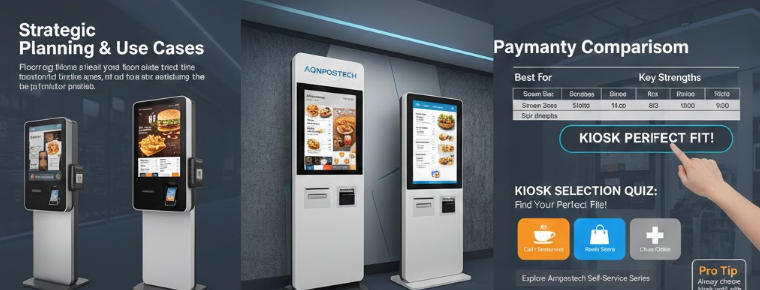
| Feature | APK06 (Modular) | APK07 (Ordering) | APK1851 (Bill Payment) |
| Best For | Versatile Retail/Custom | Fast Food / Restaurants | Bill Pay / Invoicing |
| Screen Sizes | 15.6" - 23.8" | 21.5" - 32" | 15.6" - 23.6" |
| Key Strength | Modular Component Swapping | Visual Impact & Upselling | Slim All-in-One Design |
| Mounting | Floor / Desktop | Floor / Wall | Desktop / Floor |
Choosing the right kiosk is a balance between hardware reliability and customer experience. At Aonpostech, we provide high-performance, customizable self-service solutions designed to grow with your business.
Tel / Whatsapp : +86 -15999943922
Email : nikki@aonpostech.com


© 2026 Shenzhen Aonpos Technology Co., Ltd .All Rights Reserved