POS for Mobile Phone Shops: Choosing the Right Hardware for Modern Phone Retail
Oct 24, 2026Mobile phone retail has become increasingly complex. A typical phone shop no longer sells only smartphones. It may also offer accessories, device repairs, screen replacements, prepaid services, trade-ins, refurbished devices, and warranty assistance. Each transaction involves different operational requirements, making checkout efficiency and accurate inventory management essential.
For retailers, selecting the right POS for mobile phone shops is not simply about processing payments. It means building a reliable checkout environment that supports serialized products, high-value transactions, customer service, and future business expansion.
The challenge is particularly important for stores handling multiple smartphone brands, numerous accessories, and repair services simultaneously.
A well-designed mobile phone shop POS system combines appropriate software with dependable hardware, including touchscreen terminals, barcode scanners, receipt printers, and payment devices.
This guide examines the operational challenges of mobile phone retail, the hardware specifications that matter, and how businesses can select a practical POS configuration for long-term use.
Unlike conventional retail stores, mobile phone shops frequently manage products with individual serial numbers, changing market values, and different warranty conditions.
Two smartphones may share the same model and storage capacity but have different IMEI numbers, purchase dates, warranty statuses, or selling prices.
Retailers must therefore maintain accurate records for individual devices rather than relying exclusively on product quantities.
The same store may also process transactions involving screen protectors, charging cables, replacement batteries, and technical services.
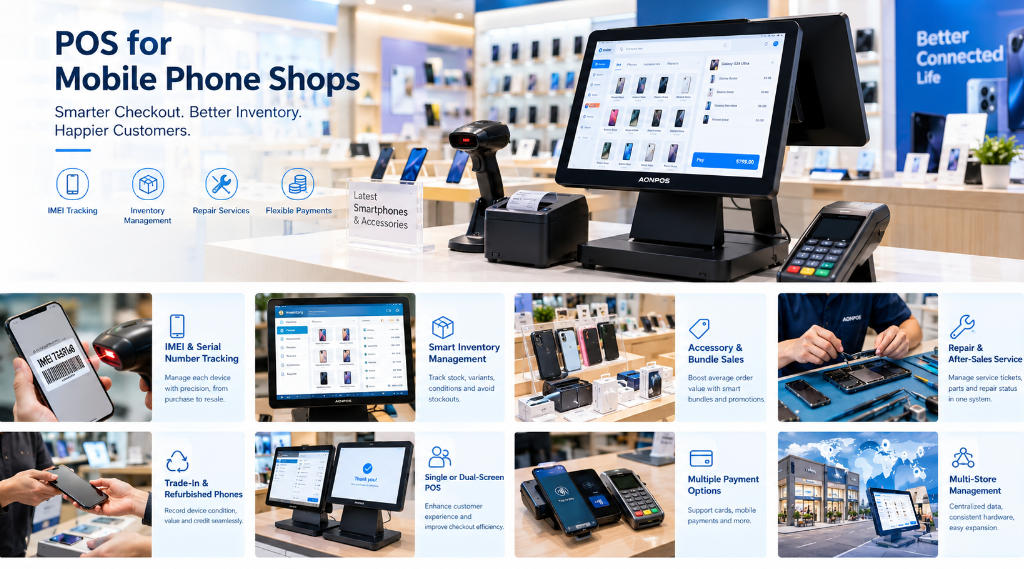
These operational differences create several important requirements:
Accurate IMEI and serial number recording
Inventory visibility across different product conditions
Efficient accessory barcode scanning
Support for trade-ins and refurbished devices
Integration with repair management software
Flexible discounts and bundled transactions
Reliable payment and receipt processing
A conventional checkout terminal can provide the hardware foundation, but the POS software must support these specialized workflows.
Businesses should evaluate both components together instead of assuming that purchasing a powerful terminal automatically provides advanced mobile retail functionality.
IMEI tracking is one of the most important considerations when choosing a POS system for a mobile phone shop.
Each cellular device may have one or more IMEI identifiers, depending on its configuration. These identifiers help retailers distinguish individual units even when their commercial product descriptions are identical.
For example, a store may receive 20 units of the same smartphone model. Although the devices share a stock-keeping unit (SKU), each unit requires an individual identifier.
A suitable POS software platform should allow retailers to associate these identifiers with purchasing, inventory, and sales records.
A well-organized inventory workflow can include recording a device's model, storage capacity, color, IMEI or serial number, supplier, acquisition cost, and condition.
When a customer purchases a smartphone, the system should associate the specific device with the transaction.
This makes it easier to investigate stock discrepancies, identify affected products, and reference previous sales during warranty inquiries.
Barcode scanners can improve the speed and accuracy of this process, particularly when identifiers are available in supported barcode formats.
Retailers planning their checkout equipment should consider compatible barcode scanner hardware that can handle the labels and codes used in their inventory workflow.
However, scanning capabilities depend on the barcode symbology, scanner configuration, and software integration.
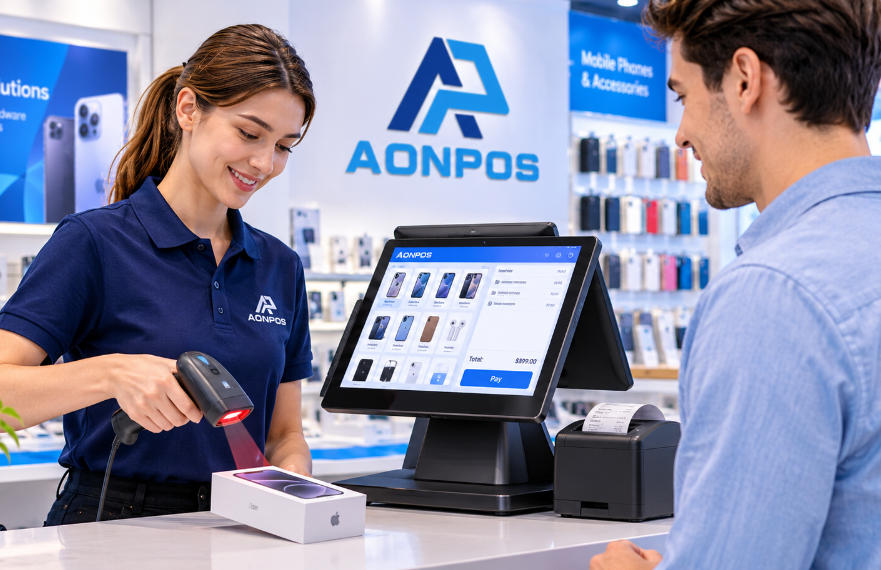
The touchscreen terminal is the central component of a phone shop's checkout workstation.
It runs the retail software, displays transaction information, and connects to peripherals.
Choosing suitable hardware requires balancing processing performance, screen size, physical design, and expansion capabilities.
Mobile phone retail software may need to handle product searches, serialized inventory records, customer information, and multiple connected devices.
For straightforward checkout applications, an entry-level commercial processor may provide sufficient performance.
More demanding workflows involving multiple applications, extensive databases, or integrated service management may benefit from stronger processing capabilities.
Memory requirements should follow the software vendor's recommendations. For many Windows-based retail environments, 8GB RAM is a reasonable evaluation starting point, while larger configurations may be appropriate for heavier workloads.
SSD storage is also preferable to traditional mechanical hard drives for most modern checkout deployments because it provides faster data access and contains no moving parts.
A 15-inch touchscreen is a practical option for many mobile phone stores.
It offers enough working space for product searches, sales processing, and customer information without occupying excessive counter space.
Larger displays may be beneficial when staff frequently use detailed repair forms, inventory dashboards, or several software windows.
However, screen resolution and interface design are just as important as physical size.
Retailers should test their selected software at the terminal's native resolution before purchasing equipment in volume.
A POS terminal for mobile phone shops should offer sufficient connections for the required peripherals.
Typical connections may include USB, Ethernet, display interfaces, and serial ports where legacy equipment is involved.
Reliable network connectivity is particularly important for cloud-based inventory systems, centralized reporting, and payment integrations.
For hardware selection, retailers and integrators can explore AONPOS all-in-one POS terminals, which include configurations intended for different retail applications.
The final choice should depend on verified software and peripheral compatibility.
A complete checkout workstation typically includes several devices working together.
Selecting peripherals individually allows businesses to tailor the installation to their operating requirements.
Barcode scanning helps employees identify products without manually entering long codes.
This is useful for accessories, packaged smartphones, chargers, headphones, and other frequently sold items.
A 2D scanner may be preferable when products use QR codes or other two-dimensional symbologies.
Stores handling serialized devices should verify whether their scanner can reliably read the manufacturer's labels and whether the POS software correctly associates scanned identifiers with inventory records.
Thermal receipt printers offer a convenient way to produce sales documentation.
Receipts may contain product descriptions, purchase dates, device identifiers where appropriate, warranty information, and store contact details.
The content available on printed receipts depends on the POS software and receipt template.
A customer display can make high-value purchases more transparent by showing transaction details.
Customers can review prices, discounts, accessory bundles, and final totals before completing payment.
This is particularly useful when a smartphone purchase includes several additional products or services.
Mobile phone retailers may need to accept cards, contactless payments, and other locally supported methods.
Payment devices must be compatible with the selected payment processor and compliant with applicable security requirements.
A POS computer alone should not be assumed to provide integrated payment acceptance.
Retailers should confirm compatibility between the payment provider, POS application, and hardware before deployment.
Accessories represent an important part of many mobile phone retailers' product portfolios.
Common categories include protective cases, screen protectors, charging cables, power adapters, wireless earbuds, and portable batteries.
These products generally move faster than smartphones and often have numerous model-specific variations.
A POS system should help retailers distinguish accessories by compatibility, color, brand, and specification.
For example, cases designed for different smartphone generations should not be treated as interchangeable inventory items.
A customer purchasing a new phone may also buy a protective case, charger, and screen protector.
POS software with bundle or promotion functionality can simplify these transactions.
Employees can apply eligible discounts while retaining accurate records of individual items.
This also enables retailers to examine accessory attachment rates and identify which products are commonly purchased together.
The hardware requirement is relatively straightforward: a responsive touchscreen, dependable scanner, and reliable receipt printer.
The more specialized functions depend on retail software capabilities.
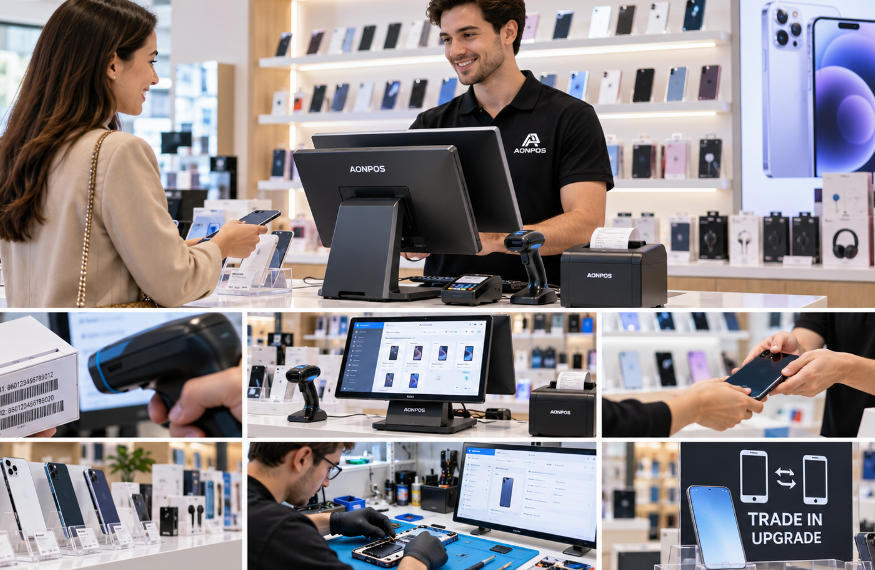
Repair services add another layer of complexity to mobile phone retail operations.
A repair transaction differs from a standard product sale because it involves service intake, device identification, technician assignments, parts usage, and completion tracking.
Stores offering repairs should consider POS software that integrates with a repair management platform or includes suitable service workflows.
Important functions may include recording device condition, documenting reported problems, generating repair tickets, and tracking replacement components.
For example, a customer may bring in a smartphone for battery replacement.
The employee needs to record the device model, customer contact information, reported symptoms, and estimated service cost.
After the repair, the system should support service billing and any associated parts inventory adjustments.
A touchscreen POS terminal can provide a convenient interface for this process.
However, capabilities such as technician scheduling, repair status notifications, and service history must come from the application rather than the terminal itself.
Retailers should also adopt appropriate data-protection procedures when recording customer device information.
Many phone stores purchase used devices or accept them as partial payment toward new smartphones.
This creates inventory requirements that are different from standard retail purchasing.
Each used device may have a unique condition, acquisition cost, inspection result, and resale value.
A suitable POS workflow should support individual device records rather than combining all used phones of the same model into one stock quantity.
For trade-in transactions, retailers may need to record:
Device model and identifying information
Physical and functional condition
Trade-in valuation
Customer authorization
Credit applied toward a new purchase
Refurbishment or resale status
Businesses should also establish procedures for verifying device ownership and applicable activation-lock status.
Where trade-in software integrates directly with the POS platform, employees may be able to manage credits and sales within a coordinated workflow.
Otherwise, separate systems may be necessary.
The important hardware consideration is that the checkout workstation remains compatible with the required applications and peripherals.
Both single-screen and dual-screen terminals can work effectively in mobile phone stores.
The better option depends on the checkout environment and the level of customer interaction.
| Feature | Single-Screen POS | Dual-Screen POS |
|---|---|---|
| Counter space | Typically more compact | Usually requires more space |
| Hardware cost | Generally lower | Generally higher |
| Staff operation | Dedicated cashier display | Dedicated cashier display |
| Customer visibility | May require a separate display | Customer-facing screen available |
| Best application | Small phone shops | High-traffic or premium retail counters |
For smaller stores with limited checkout space, a single-screen terminal may be sufficient.
For premium smartphone retailers, a dual-screen configuration can support a more interactive purchase experience.
Customers may be able to review itemized totals, promotional information, or transaction details, depending on software support.
AONPOS offers retail-oriented dual-screen hardware, including its Retail All-in-One POS Systems.
The AP14D model is described with dual 15-inch capacitive touchscreens and configurable processor, memory, and storage options.
Such hardware can provide a foundation for customer-facing retail applications, provided the software supports the intended display functions.
Businesses operating multiple mobile phone shops need greater consistency across locations.
A standardized POS hardware platform can simplify employee training, software installation, maintenance, and technical support.
This becomes especially valuable when expanding from a small number of stores to a regional retail network.
Using compatible terminal models across locations can reduce configuration differences and make replacement planning more predictable.
Retailers should document operating system versions, peripheral models, connection requirements, and approved software configurations.
Multi-location inventory visibility is primarily a software and database function.
However, reliable terminals and network connectivity are essential for maintaining access to the central platform.
Stores should also establish procedures for managing temporary connectivity failures.
Offline selling capabilities, when required, must be explicitly supported and tested in the selected software.
Retailers should consider hardware lifecycle management before opening additional locations.
This includes spare equipment availability, warranty terms, replacement procedures, and expected model continuity.
A slightly higher initial hardware investment may be justified when it improves operational consistency and reduces future support costs.
For POS distributors, software developers, and retail solution integrators, hardware flexibility is often a major purchasing consideration.
Different markets may require different operating systems, processor configurations, display sizes, or peripheral connections.
An OEM or ODM manufacturing arrangement can help businesses develop consistent hardware packages for their target customers.
AONPOS is a Shenzhen-based POS hardware manufacturer focusing on touchscreen POS terminals and related checkout equipment.
Its product portfolio includes all-in-one terminals, dual-screen models, barcode scanners, touch monitors, and other retail peripherals.
For mobile phone retail projects, buyers can evaluate suitable hardware configurations according to their software requirements, deployment environment, and purchasing volumes.
Potential customization considerations include hardware specifications, branded appearance, accessory configurations, packaging, and project-specific adjustments.
Customization availability should be confirmed directly with the manufacturer.
Before ordering in volume, software providers and integrators should conduct sample testing under realistic operating conditions.
This reduces the risk of discovering compatibility problems after equipment has been distributed to multiple stores.
One common mistake is choosing equipment based entirely on the lowest purchase price.
An inexpensive terminal may become costly if it experiences frequent failures or lacks the connectivity required for essential peripherals.
Another mistake is assuming that all POS systems support IMEI tracking.
Serialized inventory management depends on specialized software functions and should be verified before implementation.
Retailers should also avoid purchasing scanners, printers, or payment terminals without testing interoperability.
Other risks include insufficient storage, poorly matched screen resolution, inadequate technical support, and inconsistent configurations across store locations.
A practical purchasing process should therefore include software requirement analysis, hardware evaluation, peripheral testing, and total cost of ownership assessment.
The most suitable POS hardware is not necessarily the device with the highest specifications.
Instead, it should deliver reliable performance for the store's actual workload while remaining compatible with its software and peripherals.
Small phone retailers may prioritize compact design, straightforward operation, and affordability.
Repair-focused businesses may need a larger working interface and reliable connectivity to service management applications.
Multi-store operators may place greater importance on standardization, maintenance, and long-term hardware availability.
For OEM and ODM buyers, configuration flexibility, manufacturing consistency, and technical communication are equally important.
Before making a final purchasing decision, businesses should test a complete checkout workflow using their intended software, representative inventory records, barcode labels, printer, and payment solution.
This provides a more meaningful evaluation than relying on hardware specifications alone.
Choosing the right POS for mobile phone shops requires an understanding of the industry's specialized retail workflows.
IMEI tracking, accessory management, repair services, trade-ins, customer-facing displays, and high-value payment processing all influence the final hardware and software configuration.
Reliable touchscreen terminals, compatible barcode scanners, and suitable peripherals form the foundation of an efficient checkout environment.
However, advanced inventory and service management capabilities depend on selecting the right software and integrating it correctly.
For retailers, distributors, and solution providers seeking configurable commercial POS hardware, AONPOS offers touchscreen terminal options and OEM/ODM manufacturing support for different retail applications.
By evaluating operational requirements, software compatibility, and long-term maintenance together, mobile phone retailers can build a more dependable and scalable checkout infrastructure.
Tel / Whatsapp : +86 -15999943922
Email : nikki@aonpostech.com


© 2026 Shenzhen Aonpos Technology Co., Ltd .All Rights Reserved