Best CPU for POS Systems: How to Choose the Right Processor for Your Business
Aug 12, 2026
Choosing the best CPU for POS systems is not simply a matter of buying the fastest processor available. A point-of-sale terminal has a very different workload from a gaming PC, engineering workstation, or standard office computer.
In most retail and hospitality environments, the ideal CPU is the one that provides enough performance for checkout software, peripherals, database access, cloud synchronization, and future software updates—without creating unnecessary heat, power consumption, hardware cost, or maintenance requirements.
For retailers, restaurants, system integrators, distributors, and OEM/ODM buyers, this distinction is important. An overpowered processor may increase unit cost without noticeably improving checkout speed. An underpowered processor, however, can result in slow application response, delayed reporting, poor multitasking, and a shorter practical service life.
So instead of asking, “Which processor is the fastest?”, the more useful question is:
Which CPU level best matches the workload of the POS terminal?
There Is No Single Best CPU for Every POS System
POS processors can generally be divided into three practical performance levels.
Low-power quad-core processors are suitable for basic checkout, barcode scanning, receipt printing, product lookup, inventory synchronization, and cloud-based POS software.
Mid-range processors are more appropriate for systems running several applications simultaneously, larger databases, customer-facing displays, more demanding Windows applications, or multiple background integrations.
Higher-performance Core i5-class processors become useful when the POS terminal must handle substantial multitasking, complex databases, analytics, multimedia interfaces, multiple displays, or other processor-intensive applications.
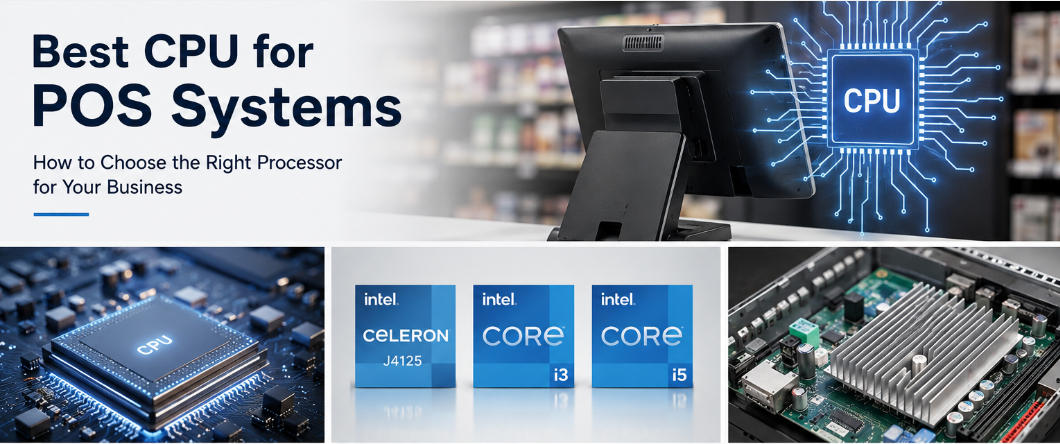
This tiered approach is also visible in AONPOS hardware. Several current AONPOS Windows terminals are offered with configurable Intel J4125, Core i3, and Core i5 processor options, allowing the specification to be matched to the intended workload rather than forcing every customer into the same configuration.
Start With Your POS Software, Not the CPU Name
Before comparing processor models, examine the software that will actually run on the terminal.
A lightweight cloud POS application may spend much of its operating time waiting for cashier input, barcode scans, payment authorization, or cloud responses. In this situation, a high-end CPU can remain largely underutilized.
A properly configured low-power processor combined with sufficient RAM and SSD storage may provide an equally responsive checkout experience at a lower hardware cost.
A more complex Windows POS environment creates a different workload.
For example, one terminal might simultaneously run:
POS checkout software
A local SQL database
Inventory synchronization
Accounting integration
Browser-based management tools
Antivirus or endpoint security
Loyalty applications
Online-order integrations
Restaurants may add table management, kitchen display communication, delivery-platform synchronization, customer displays, and digital menu functions.
When several applications compete for CPU resources at the same time, additional processing headroom becomes valuable.
For this reason, buyers should obtain the POS software supplier's recommended hardware specifications, not only its minimum requirements.
Minimum specifications tell you whether the software can run. Recommended specifications are much more useful when determining whether the terminal can remain responsive during peak commercial use.
Low-Power CPUs: Often the Best Choice for Standard POS Workloads
For straightforward transaction processing, efficient low-power processors can offer the best balance of performance, heat output, and hardware cost.
Intel's N100 provides a useful example of this processor category. Intel lists the N100 with four cores, four threads, a maximum turbo frequency of 3.40 GHz, 6 MB of Smart Cache, and a 6 W TDP.
The significance for POS hardware is not simply benchmark performance.
Lower power consumption can make thermal management easier, reduce heat inside a compact enclosure, and make passive or fanless designs more practical.
This becomes especially valuable because POS terminals frequently operate for long periods every day.
A convenience store checkout may operate from early morning until late at night. Restaurant terminals can remain active throughout lunch and dinner service. Supermarket lanes may handle transactions continuously for many hours.
Low-power processors are therefore particularly suitable for:
Convenience stores
Small retail shops
Cafés
Bakeries
Salons
Pharmacies
Kiosks
Basic restaurant checkout
Cloud-based retail applications
In these environments, the processor usually does not need workstation-level computing power. Reliability and consistent responsiveness are much more important.
CPU Choice and Fanless Design Should Be Considered Together
Processor selection should never be separated completely from thermal design.
A low-power CPU produces less heat, making it easier to design a compact POS terminal without an internal cooling fan.
Fanless systems can be particularly attractive in commercial environments because there is no cooling fan continuously drawing dust, flour, grease, and other airborne contaminants through the machine.
There is also one fewer mechanical component that can wear out over time.
For cafés, bakeries, restaurants, convenience stores, workshops, and other challenging environments, a properly engineered fanless POS terminal can therefore provide a better long-term balance than simply choosing the fastest available processor.
That does not mean every fanless CPU is suitable for every business.
The processor still needs enough performance to handle peak workloads. The objective is to find the lowest thermal profile that comfortably meets software requirements—not simply the lowest-power CPU available.
Where Does the Intel J4125 Fit Today?
The Intel Celeron J4125 has been widely used in POS hardware because its performance and thermal characteristics fit conventional checkout applications well.
Intel specifies the J4125 as a four-core, four-thread processor with a 2.00 GHz base frequency, up to 2.70 GHz burst frequency, 4 MB cache, and a 10 W TDP.
AONPOS currently lists the J4125 as an available configuration across several all-in-one POS products, making it relevant for established deployments where software compatibility has already been tested.
However, there is another consideration for new projects: processor lifecycle.
Intel currently identifies the J4125 as discontinued.
This does not mean an existing J4125 POS terminal suddenly becomes unsuitable. Many systems can continue performing their intended tasks for years.
It does mean that distributors, system integrators, and businesses planning large multi-year deployments should evaluate long-term component availability.
For OEM and ODM POS projects, buyers should consider:
Expected deployment period
Replacement-unit availability
Operating-system support
POS software compatibility
Motherboard lifecycle
Future upgrade paths
A processor that works well today and a processor platform that can be supplied consistently throughout a long-term commercial project are not necessarily the same thing.
When Core i3 Is the Better POS CPU
Core i3-class processors occupy an important middle ground.
They are useful when an entry-level CPU can technically run the POS application but provides limited headroom for future expansion.
Examples include retailers operating local databases, restaurants using dual displays, systems running several integrations simultaneously, or businesses expecting the same terminal to remain in service through multiple software generations.
Core i3-class performance can also help when staff frequently switch between checkout software, browsers, inventory tools, reporting applications, and communication platforms.
This middle tier is sometimes overlooked because purchasing decisions are often framed as a choice between “budget CPU” and “high-performance Core i5.”
In commercial deployments, however, the best price-to-performance point frequently lies between those two extremes.
The objective should be a terminal that remains responsive during the busiest operating periods while still maintaining reasonable cost and thermal requirements.
When Core i5 Is Worth the Additional Cost
Core i5 is not automatically the best CPU for POS systems.
But it can be the best CPU for demanding POS applications.
A Core i5 configuration becomes more reasonable when the terminal must perform several intensive tasks simultaneously, such as:
Large local databases
Advanced reporting
Complex inventory management
Multiple displays
Video or multimedia interfaces
High-volume browser applications
Heavy background synchronization
Advanced analytics
Computer-vision applications
Multifunction back-office use
Some retailers expect one terminal to function as both a checkout station and a small business workstation.
Employees may process transactions, manage inventory, create reports, access supplier portals, communicate with headquarters, and use browser-based applications from the same machine.
That workload is very different from a dedicated checkout terminal.
AONPOS addresses these different requirements by offering configurable processor levels on various terminals. For example, the AONPOS desktop all-in-one POS terminal publicly lists J4125, Core i3, and Core i5 options.
The important point is that Core i5 should be selected because the application benefits from the additional performance—not simply because the processor name sounds more powerful.
CPU Alone Does Not Determine POS Speed
Another common purchasing mistake is focusing heavily on the processor while ignoring other components.
A POS system is only as responsive as the complete hardware platform.
RAM
Memory capacity determines how comfortably Windows, POS software, browsers, databases, security applications, and background processes can operate simultaneously.
If the terminal frequently runs out of available memory, upgrading only the CPU may produce little improvement.
SSD Storage
Storage performance affects operating-system startup, application launching, software updates, database access, and general responsiveness.
For modern POS terminals, SSD storage is generally preferable to a mechanical hard drive for the operating system and primary applications.
Network Performance
Many modern POS systems depend heavily on cloud services.
A powerful CPU cannot compensate for unreliable Wi-Fi, poor network coverage, internet latency, or slow cloud-server response.
Thermal Design
A processor that repeatedly reduces its operating frequency because of inadequate cooling may perform worse in real commercial use than expected from its specifications.
The best POS configuration should therefore balance the CPU with memory, storage, cooling, network connectivity, I/O ports, and software requirements.
Match the CPU to the Business Scenario
A practical purchasing strategy is to classify the POS deployment by workload.
Basic workload: Small retail stores, cafés, kiosks, boutiques, salons, and straightforward cloud POS applications can usually prioritize efficient low-power quad-core processors, adequate RAM, SSD storage, and reliable connectivity.
Moderate workload: Supermarkets, pharmacies, busy restaurants, and multi-application retail environments may benefit from Core i3-class performance, particularly when using dual displays, local databases, numerous peripherals, or several software integrations.
Heavy workload: Large stores, complex hospitality environments, analytics-heavy applications, advanced visual interfaces, computer vision, or multifunction terminals may justify Core i5-class processors.
It is also unnecessary for every endpoint in a retail chain to use the same CPU.
Checkout lanes, self-service kiosks, customer-service desks, restaurant terminals, and back-office stations can have very different processing requirements.
Matching hardware to each role can reduce overall project cost while maintaining adequate performance.
Consider Total Cost of Ownership, Not Just CPU Price
For commercial POS projects, the cheapest processor does not always create the lowest long-term cost.
At the same time, the most powerful processor does not automatically produce the best return on investment.
Buyers should evaluate:
Hardware acquisition cost
Electricity consumption
Cooling requirements
Failure points
Software compatibility
Upgrade potential
Spare-parts availability
Processor lifecycle
Expected operating period
This is especially important for OEM/ODM deployments involving hundreds or thousands of terminals.
Saving a small amount on each CPU may seem attractive during purchasing, but insufficient performance can create support costs later. Conversely, adding an expensive processor to thousands of terminals that never use the additional computing power can unnecessarily increase project cost.
A balanced configuration generally produces the strongest total cost of ownership.
AONPOS provides configurable POS system hardware covering different processor, memory, storage, display, and peripheral requirements, allowing system integrators and commercial buyers to build configurations around actual deployment conditions.
Best CPU for POS Systems: Practical Recommendation
For basic checkout and cloud POS, an efficient low-power quad-core processor is usually the most economical choice.
For moderate multitasking, dual-screen systems, local databases, and multiple integrations, Core i3-class hardware offers useful additional performance headroom.
For large databases, demanding applications, analytics, advanced integrations, or multifunction terminals, Core i5 becomes easier to justify.
Existing J4125 systems can continue to be appropriate where their performance meets software requirements. For new long-term projects, however, Intel's discontinued status for the J4125 means procurement teams should also consider component lifecycle and future platform availability.
Final Thoughts
The best CPU for a POS system is not necessarily the fastest processor.
It is the processor that comfortably handles peak operating workloads while maintaining reasonable hardware cost, thermal performance, energy consumption, and long-term reliability.
For ordinary checkout environments, efficient low-power CPUs can provide excellent value. Core i3-class processors offer additional flexibility for growing retail and restaurant workloads. Core i5-class hardware is better reserved for applications that genuinely need greater computing capacity.
The strongest POS hardware decisions therefore begin with the software, transaction volume, peripheral requirements, operating environment, and expected service life—not with the CPU badge.
For system integrators, distributors, retailers, and OEM/ODM buyers, matching the processor to the real workload creates a more reliable POS platform and usually delivers better total cost of ownership than simply selecting the highest specification available.