
POS for Hardware Stores: How to Build a Faster, More Reliable Checkout System
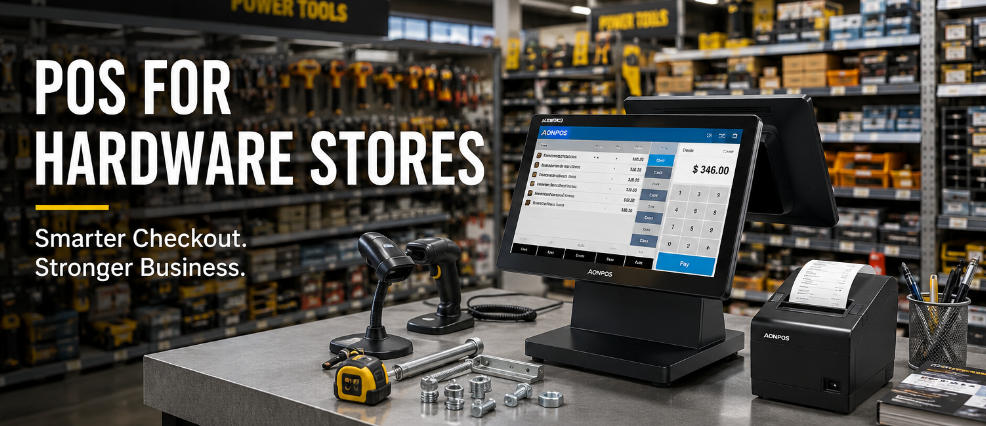
Sep 02, 2026A hardware store checkout counter looks simple from the customer side: scan the products, take payment, print the receipt, and move on to the next transaction.
Behind that counter, however, the operation can be surprisingly complicated.
A typical hardware store may sell power tools, screws, electrical components, plumbing fittings, paint accessories, adhesives, safety equipment, replacement parts, seasonal products, and hundreds or thousands of small items that look almost identical. Some products are sold individually, others by box, pack, meter, kilogram, or another unit. Contractors may purchase dozens of items in a single transaction, while homeowners may arrive with a single replacement part and expect staff to identify it quickly.
For this reason, choosing a POS for hardware stores should not be treated as simply choosing a payment terminal. The POS workstation needs to support a much broader retail workflow involving product identification, inventory, pricing, peripherals, customer accounts, returns, and high-frequency daily use.
This guide examines the hardware and operational factors that matter when building a practical POS setup for hardware and home improvement retailers.
Hardware retail combines several challenges that do not always appear together in other stores.
The first is SKU density.
Even a relatively small store can carry a large number of nuts, bolts, screws, drill bits, fittings, connectors, fasteners, blades, sockets, switches, and replacement components. Visually similar products may have different dimensions, materials, specifications, or applications.
This makes accurate product identification essential.
The second challenge is basket complexity. A customer renovating a room or a contractor preparing for a job may purchase many different products at once. Checkout speed therefore depends not only on payment processing but also on how efficiently the cashier can identify and enter every item.
The third challenge is the store environment itself. Hardware stores are working retail environments. Dust, packaging debris, frequent counter use, and continuous peripheral connections make hardware reliability particularly important.
A suitable POS workstation therefore needs to balance processing performance, connectivity, physical durability, and usability.
One of the biggest mistakes when selecting a POS for a hardware store is focusing first on payment processing.
For many hardware retailers, product management is the more demanding part of the workflow.
Consider a store selling several versions of the same screw:
Different lengths
Different diameters
Different head types
Different materials
Different pack quantities
From a distance, these products may appear almost identical.
A well-organized POS environment should make it easy for employees to search products by SKU, barcode, category, description, or other relevant identifiers. The software should also allow businesses to establish logical categories such as plumbing, electrical, hand tools, power tools, fasteners, paint, garden, safety, and building materials.
The physical POS hardware needs enough processing capacity and memory to run this product database smoothly.
For stores operating large catalogs or integrating inventory, CRM, accounting, and other applications, selecting an appropriately configured processor, RAM, and SSD is more important than simply buying the lowest-cost terminal.
AONPOS, for example, offers configurable POS systems with different processor, memory, storage, display, and peripheral options, allowing the hardware configuration to be matched to the software workload rather than forcing every retailer into the same specification.
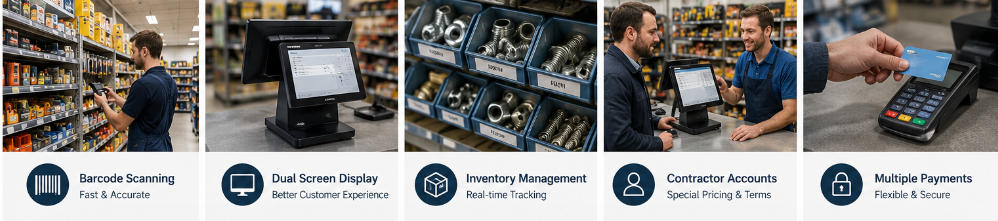
In hardware retail, the barcode scanner may be almost as important as the POS terminal itself.
Manually searching for every product slows checkout and increases the possibility of selecting the wrong SKU, particularly when several products have similar descriptions.
A good scanner helps cashiers identify packaged products quickly and accurately.
For a hardware store, scanner selection should consider:
1D barcode support: Still widely used on conventional retail packaging.
2D code support: Useful as more manufacturers and retailers adopt QR codes and other two-dimensional formats.
Scanning speed: Particularly important when contractors or commercial buyers arrive with large baskets.
Reading performance: Labels may be small, curved, scratched, dirty, or attached to irregular packaging.
Connection method: USB is common for fixed checkout counters, while some store layouts may benefit from wireless scanning.
A dedicated barcode scanner connected to the POS can reduce manual entry and create a much more efficient workflow for stores managing thousands of small components.
For larger products that are difficult to place near a fixed scanner, handheld scanning is especially valuable.
A POS terminal rarely works alone.
A hardware store checkout station may need to connect with:
Barcode scanner
Receipt printer
Cash drawer
Payment terminal
Customer display
Keyboard
Label printer
Scale
Network connection
Additional USB devices
This means port selection should be evaluated before purchasing terminals.
A POS computer with insufficient connectivity can force the retailer to use additional hubs and adapters. That increases cable complexity and creates additional potential failure points.
Before choosing hardware, map the complete checkout configuration.
How many USB ports are required? Does the printer use USB, Ethernet, or serial communication? Does the existing cash drawer connect through the printer? Is a second display required? Does the deployment need RJ45 Ethernet? Are legacy serial devices still being used?
This is particularly important for system integrators and POS software companies sourcing hardware for different customers. A terminal that works perfectly for one deployment may be unsuitable for another simply because the required peripheral interfaces are different.
Dual-screen POS hardware can be particularly useful in hardware stores because transactions often contain many line items.
A customer purchasing twenty or thirty products may want to confirm quantities and prices as the cashier scans them.
A customer-facing display can show transaction information without requiring the shopper to lean over the counter or repeatedly ask the cashier to verify the total.
Depending on the POS software, the second display can also be used for promotional information, membership messages, store announcements, or other customer-facing content.
AONPOS offers retail-oriented dual-screen configurations such as its AP14D, which combines a main capacitive touchscreen with secondary display options and supports peripherals including scanners, printers and cash drawers.
For hardware retailers, however, the decision should remain workflow-driven. A second screen is valuable when it improves transaction transparency or customer communication; it should not be added simply because it looks more sophisticated.
Hardware stores do not necessarily require extremely powerful computers at every checkout lane, but underpowered hardware can create unnecessary problems.
Modern POS software may run inventory databases, employee management, reporting, customer accounts, promotions, payment integrations, and synchronization services simultaneously.
If the terminal is also connected to cloud-based applications or additional retail software, system requirements can increase further.
When evaluating a POS terminal, consider:
Entry-level processors can be sufficient for straightforward checkout applications. More demanding software, larger databases, multitasking, or future expansion may justify Intel Core-class configurations.
Memory requirements should be based on the POS software rather than a generic minimum specification. Leaving some performance headroom can also extend the useful life of the terminal.
For modern commercial POS terminals, SSD storage is generally preferable to traditional mechanical hard drives because it offers faster access, has no moving components, and fits well into compact all-in-one hardware.
Confirm the operating system required by the software provider before ordering hardware. Windows remains common in conventional retail deployments, while other platforms may be appropriate depending on the software ecosystem.
The goal is not to purchase the highest specification available. It is to create a balanced configuration that can operate the intended software reliably for several years.
Inventory problems can be particularly frustrating in a hardware store.
A computer may show that a specific fitting is available, but when an employee walks to the shelf, the bin is empty. Meanwhile, dozens of visually similar alternatives may still be in stock.
The result is wasted staff time and a poor customer experience.
The POS software should therefore connect sales transactions with inventory updates so that stock levels remain as accurate as possible.
Retailers should look for functions such as:
Real-time inventory deduction
Low-stock alerts
Purchase order support
Multi-location inventory
Stock transfers
SKU-level reporting
Supplier information
Inventory adjustment records
Cycle counting support
The hardware itself does not create these capabilities—the POS software does—but the terminal must provide a stable platform on which those applications and connected devices can operate.
Businesses comparing broader retail requirements can also review AONPOS's guide to choosing a retail POS system, which covers inventory, reporting, scalability, and integration considerations in greater detail.
Hardware products are not always sold as simple “one barcode equals one item” transactions.
A retailer might sell cable by length, fasteners individually or by package, building materials by quantity, and certain products by weight.
The software may therefore need to support multiple units of measure and relationships between individual products, boxes, cartons, or bulk quantities.
This is mainly a software consideration, but it affects hardware planning as well.
If weighted products are sold, for example, the checkout may require scale integration. If employees regularly create or replace product labels, a label printer may become part of the workstation.
For POS solution providers, the important lesson is to understand the complete retail workflow before specifying the terminal and its interfaces.
Many hardware stores serve both consumers and professional customers.
Contractors, maintenance companies, electricians, plumbers, property managers, and other trade customers may visit the same store repeatedly and purchase larger quantities.
Their checkout requirements may include:
Customer account lookup
Special pricing
Purchase history
Tax information
Quotations
Purchase orders
Credit terms
Detailed invoices
Job or project references
These transactions can take longer than a conventional consumer purchase.
A responsive touchscreen and clearly structured POS interface can help employees move between customer information, product search, discounts, and payment without creating unnecessary delays at the counter.
For stores with a significant B2B customer base, this workflow should be tested before deployment rather than assumed to work simply because the software can technically process a sale.
Returns in hardware retail can be complicated.
Customers may bring back unused fittings, tools, accessories, or components without remembering exactly which version they purchased. Some items may look almost identical to products with different specifications or prices.
A POS system that can retrieve previous transactions by receipt, customer account, product, or order information can make returns more controlled.
Barcode identification can further reduce mistakes.
Stores should also establish clear permissions for refunds, exchanges, discounts, and manual price adjustments. Manager authorization can help reduce unauthorized transactions while maintaining flexibility for legitimate customer service situations.
A checkout terminal is operational infrastructure.
If it fails during a busy Saturday morning, the problem is not merely an inconvenient computer issue. Customers wait longer, employees become less productive, and sales can be disrupted.
For that reason, commercial POS hardware should be evaluated for long-term reliability rather than appearance alone.
Important considerations include:
Stable thermal management
Reliable touchscreen performance
Commercial-grade construction
SSD storage
Secure cable connections
Accessible peripheral ports
Appropriate operating temperature
Replacement parts and technical support
Consistent hardware configurations across multiple units
For multi-store operators, software companies, distributors, and system integrators, configuration consistency can be especially important. Standardizing terminals reduces the number of hardware variations that technical teams must support.
Buying each device independently can result in a cluttered checkout counter.
Instead, design the workstation as one system.
A practical hardware store POS station might include:
Core POS terminal
A 15-inch capacitive touchscreen all-in-one terminal is a practical format for many fixed counters.
Barcode scanner
Preferably capable of reading both common 1D barcodes and 2D codes.
Receipt printer
An 80 mm thermal printer is commonly suitable for transaction receipts.
Cash drawer
Still useful for stores accepting cash.
Payment terminal
Selected according to the payment processor and local market.
Customer display
Optional, but valuable for transaction transparency.
Network connection
Wired Ethernet can provide a stable connection for fixed checkout stations, with Wi-Fi available where appropriate.
The objective is not to maximize the number of devices. It is to minimize friction between them.
For POS software companies, distributors, retail solution providers, and hardware brands, selecting POS equipment for hardware-store projects involves another layer of requirements.
Instead of purchasing a few terminals for one shop, they may need to deploy dozens or hundreds of units across customers or locations.
Important sourcing considerations include:
Processor configuration options
RAM and SSD options
Screen size and resolution
Single- or dual-screen configurations
Port requirements
Peripheral compatibility
Operating system support
Branding and logo customization
Packaging
Regional power requirements
Product certification
Sample testing
Production consistency
After-sales support
AONPOS has focused on POS hardware manufacturing since 2012 and provides OEM/ODM services for all-in-one touch POS terminals and related checkout peripherals. Its product portfolio includes POS terminals, barcode scanners, thermal printers, customer-facing displays and other devices that can be combined according to project requirements.
For an OEM or system integration project, the most effective approach is usually to confirm the POS software, peripheral list, interface requirements, performance target, and installation environment before finalizing the hardware specification.
A lower purchase price does not necessarily mean a lower total cost.
Some common mistakes include choosing a terminal with too few ports, using insufficient RAM for the software workload, selecting consumer hardware for continuous commercial operation, ignoring scanner quality, failing to test peripheral compatibility, and purchasing hardware before confirming software requirements.
Another mistake is treating every checkout counter identically.
The main service counter may need a larger display, customer-facing screen, printer, scanner, and cash drawer, while a secondary station may require a simpler configuration.
Hardware should follow the workflow.
The best POS for hardware stores is not necessarily the terminal with the longest specification sheet.
It is the system that allows employees to identify products quickly, process large and complicated baskets accurately, connect the necessary peripherals, access inventory information, handle professional customer accounts, and continue operating reliably throughout the business day.
For independent hardware retailers, this means looking beyond payment processing and considering the entire checkout environment.
For chains, distributors, software companies, and OEM/ODM buyers, it also means thinking about deployment consistency, peripheral compatibility, maintainability, and future configuration requirements.
A well-planned hardware store POS station should feel almost invisible during daily operation: products scan correctly, software responds quickly, peripherals communicate reliably, and employees can focus on serving customers rather than troubleshooting equipment.
That is ultimately what good POS hardware should accomplish.
For hardware store projects requiring configurable all-in-one POS terminals, dual-screen solutions, barcode scanners, printers, or OEM/ODM hardware configurations, AONPOS can provide hardware options based on software, peripheral, branding, and deployment requirements.
Tel / Whatsapp : +86 -15999943922
Email : nikki@aonpostech.com


© 2026 Shenzhen Aonpos Technology Co., Ltd .All Rights Reserved