Maximizing Operational Efficiency: A Guide to MDM Remote Management for Self-Service Payment Kiosks
Feb 04, 2026
As businesses transition to automated checkout environments, the question is no longer just about hardware durability—it’s about the "intelligence" behind the screen. One of the most common questions we receive is: "Does the self-service payment kiosk support MDM (Mobile Device Management) remote management?"
At AonpoTech, we design our hardware—including the industry-leading APK06 and AP022 series—specifically to integrate with modern MDM ecosystems. This capability is the backbone of a successful, scalable self-service strategy.
The Vital Role of MDM in Self-Service Kiosks
Mobile Device Management (MDM) is a protocol that allows IT administrators to control, secure, and enforce policies on a fleet of devices from a centralized dashboard. For a self-service payment kiosk, MDM isn't just a "feature"—it is a necessity for reducing the Total Cost of Ownership (TCO).
1. Zero-Touch Deployment and Scaling
Manual configuration is a thing of the past. With AonposTech’s Android-based kiosks (supporting Android 7.1 through Android 11+), you can utilize Zero-Touch Deployment. This means once the hardware is connected to the internet via RJ45 Ethernet or Wi-Fi, the MDM automatically pushes your proprietary POS software, network credentials, and security settings.
2. Advanced Kiosk Mode Lockdown
Security is paramount in public spaces. Our kiosks support "Kiosk Mode" through MDM, which locks the interface to a single application. This prevents users from accessing the underlying OS, ensures the capacitive touch screen remains responsive only to your business app, and protects the system from unauthorized tampering.
3. Proactive Remote Monitoring and "Heartbeat" Checks
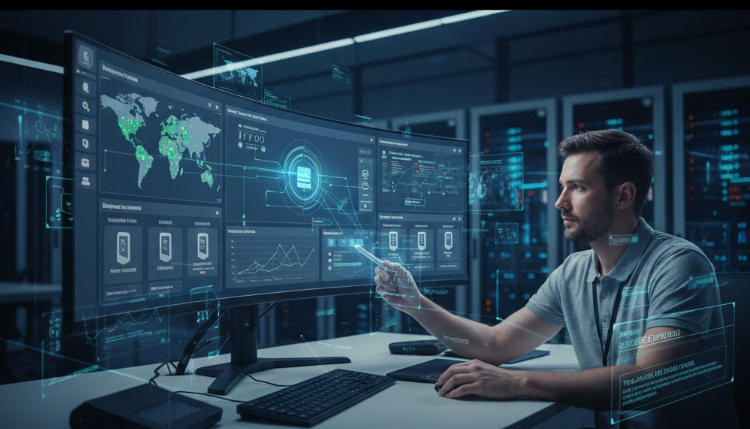
Hardware downtime equals lost revenue. By linking your AonpoTech payment terminal to an MDM platform, you can monitor the "health" of your fleet in real-time.
Remote Reboot: If a terminal freezes, you can trigger a remote restart without sending a technician to the site.
Peripheral Status: Monitor if the integrated 80mm thermal printer is out of paper or if the QR code scanner is active.
Technical Compatibility: AonpoTech Hardware Specifications
Our kiosks are engineered for compatibility with leading MDM solutions like SOTI MobiControl, VMware AirWatch, and Microsoft Intune.
Feature
AonpoTech APK06 / AP022 Specifications
MDM Capability
Operating System
Android 11.0 / Windows 10 IoT
Remote OS Updates & Patching
Processor
RK3568 (Android) / Intel i3/i5 (Windows)
High-performance remote tasking
Connectivity
RJ45 Ethernet, Wi-Fi, 4G LTE
Constant "Always-On" Management
Modular Design
QR Scanner, NFC, Thermal Printer
Peripheral monitoring via SDK/API
Android vs. Windows: Which is Better for Remote Management?
While AonpoTech provides industrial-grade hardware for both, Android kiosks (like our RK3568-powered models) are often the winners for remote management.
Android Management: Offers a more "mobile-native" management feel, allowing for granular control over app sandboxing and remote wipes.
Windows Management: Ideal for large-scale enterprises using Active Directory and Windows Defender, providing deep integration with corporate IT security tools.
Why Choose AonpoTech for Your Kiosk Fleet?
Beyond MDM support, AonpoTech (Aonpos) focuses on Modular Flexibility. Our "Lego-like" design allows you to swap components—such as NFC modules or cameras for facial recognition—without replacing the entire unit.
Coupled with our Kiosk Hardware SDK & API, your development team can focus on building a world-class user experience while we ensure the hardware and management protocols remain rock-solid.
Conclusion: Future-Proof Your Business
Supporting MDM remote management is the difference between a kiosk that works and a kiosk that grows your business. By choosing AonpoTech's self-service solutions, you are investing in hardware that is secure, easy to maintain, and ready to scale.