Aonpos all in one pos
  • POS Machine vs POS System: What’s the Difference? May 28, 2026
    In today’s retail and hospitality industry, businesses rely heavily on digital payment and management technologies to improve efficiency, customer experience, and operational control. However, many people still confuse the terms POS machine and POS system. Although they are closely related, they are not the same thing. Understanding the difference between a POS machine and a POS system can help business owners choose the right solution for their operations. In this article, we’ll explain how they differ, how they work together, and which one is best for your business. What Is a POS Machine? A POS machine (Point of Sale machine) is the physical device used to process transactions. It is mainly designed for accepting payments from customers through various payment methods such as: Credit cards Debit cards Contactless payments Mobile wallets (Apple Pay, Google Pay, etc.) QR code payments Traditionally, POS machines were simple card terminals connected to banks or payment processors. Modern POS machines have become more advanced and often include: Touchscreen displays Receipt printers Barcode scanners NFC payment support Wi-Fi and Bluetooth connectivity Android-based operating systems In short, the POS machine focuses primarily on payment processing. Common Types of POS Machines 1. Countertop POS Machines Typically used in retail stores, supermarkets, and restaurants where the terminal remains fixed at the checkout counter. 2. Mobile POS Machines Portable devices designed for delivery services, pop-up stores, food trucks, and field businesses. 3. Smart POS Terminals All-in-one Android POS devices that combine payment acceptance with basic business applications. Manufacturers such as Aonpos have introduced smart POS hardware solutions that support multiple payment methods while offering greater flexibility for modern businesses. What is a POS System? A POS system is a complete business management solution that includes both hardware and software. While the POS machine handles payments, the POS system manages the entire transaction workflow and business operations. A typical POS system may include: POS machine or terminal POS software Inventory management Sales reporting Customer relationship management (CRM) Employee management Cloud data synchronization Accounting integration Essentially, the POS system acts as the operational center of a business. POS Machine vs POS System: Key Differences Understanding the distinction between the two is important when selecting technology for your business. Feature POS Machine POS System Main Purpose Payment processing Business management Components Hardware terminal Hardware + software Functionality Accepts payments Manages sales, inventory, reports, and customers Software Integration Limited Extensive Business Insights Minimal Advanced analytics and reporting Scalability Basic Highly scalable Best For Simple payment needs Growing businesses with operational requirements How POS Machines and POS Systems Work Together A POS machine is often one component of a larger POS system. For example, when a customer makes a purchase: The cashier scans products through the POS system. The system calculates the total amount. The POS machine processes the payment. The POS system records the transaction data. Inventory levels update automatically. Sales reports are generated in real time. This integration allows businesses to streamline operations and reduce manual work. Which One Does Your Business Need? The answer depends on your business size, industry, and operational complexity. Choose a POS Machine If: You only need to accept payments Your business is small or mobile You don’t require inventory tracking You want a low-cost payment solution Examples include: Food delivery drivers Small kiosks Market vendors Temporary pop-up shops Choose a POS System If: You manage inventory You operate multiple locations You need employee management You want detailed sales analytics You run a restaurant or retail store Examples include: Restaurants Supermarkets Retail chains Cafés Beauty salons Benefits of Modern POS Systems Modern cloud-based POS systems offer much more than payment processing. Key benefits include: 1. Real-Time Business Insights Business owners can monitor sales, inventory, and performance remotely. 2. Improved Customer Experience Faster checkout and multiple payment options improve customer satisfaction. 3. Better Inventory Management Automatic stock updates help reduce errors and prevent shortages. 4. Multi-Location Management Businesses with multiple stores can manage operations centrally. 5. Data Security Modern POS systems often include encryption and compliance features for secure transactions. The Rise of Android Smart POS Solutions The POS industry has evolved significantly with the introduction of Android-based smart POS terminals. These devices combine payment processing with business applications in a single platform. Companies like Aonpos are part of this growing trend, providing smart POS hardware solutions designed for retail, hospitality, and mobile commerce environments. Android POS devices are increasingly popular because they support app ecosystems, cloud connectivity, and flexible customization. Final Thoughts Although the terms are sometimes used interchangeably, there is a clear difference between a POS machine and a POS system. A POS machine focuses mainly on payment acceptance, while a POS system provides a complete operational and management solution for businesses. For small businesses with simple payment needs, a POS machine may be sufficient. However, businesses looking to scale, improve efficiency, and gain deeper operational insights will benefit more from a full POS system. As payment technology continues to evolve, smart POS solutions are becoming increasingly important for modern commerce. Choosing the right combination of hardware and software can help businesses improve productivity, customer experience, and long-term growth.
  • What is the Best POS for Small Businesses? A Complete Guide to Choosing the Right System
    What is the Best POS for Small Businesses? A Complete Guide to Choosing the Right System May 21, 2026
    Running a small business comes with a unique set of challenges. You’re balancing inventory management, customer relationships, sales tracking, employee oversight, and more—all while trying to grow your business. One of the most powerful tools to help streamline these tasks is a small business POS system. But with so many options available, how can a small business owner choose the best POS system without being overwhelmed by features, pricing, and technical jargon? This guide breaks down everything you need to know to make an informed decision, focusing on practicality, usability, and long-term value. Why a POS System Matters for Small Businesses A POS system is more than just a cash register. It’s a centralized platform that helps you manage transactions, inventory, and customer interactions efficiently. Small businesses, in particular, benefit from POS systems because they help save time, reduce errors, and provide insights that can drive growth. Here’s why a small business POS system is essential: 1. Faster and More Accurate Transactions Long checkout lines or manual entry errors can frustrate customers and reduce sales. A modern POS system allows for fast scanning, multiple payment methods, and automatic tax calculations, making every transaction smoother. 2. Better Inventory Management Manual inventory tracking can be time-consuming and prone to mistakes. A POS system automatically updates stock levels after each sale, alerts you when items are low, and generates purchase orders if needed. This ensures you never run out of your best-selling products. 3. Informed Decision-Making A POS system collects and organizes sales data, giving business owners insights into trends and performance. From identifying top-selling products to tracking peak shopping hours, this data enables smarter decisions for marketing, inventory, and staffing. 4. Improved Customer Experience Many POS systems include customer management features like loyalty programs, purchase history tracking, and personalized promotions. These tools help small businesses build strong customer relationships without additional manual effort. Key Features to Look for in a Small Business POS System When evaluating POS systems, it’s important to focus on features that solve real business problems rather than flashy extras that won’t be used. Here are the most critical aspects to consider: 1. Ease of Use Small business owners often wear multiple hats. A system with a steep learning curve can slow down staff and frustrate both employees and customers. Look for a POS with an intuitive interface, easy navigation, and accessible customer support. 2. Payment Processing Flexibility Today’s customers expect multiple payment options, from credit and debit cards to mobile wallets and contactless payments. A good POS system should accept all major payment types and support secure, compliant transactions. 3. Inventory and Order Management Whether you run a retail store, café, or boutique, inventory is the backbone of your business. Look for features like real-time stock updates, low-stock alerts, automated reorder suggestions, and integrated supplier management. 4. Reporting and Analytics Actionable insights are only valuable if they are easy to access and understand. Choose a POS system that offers detailed reports, sales breakdowns, and customizable dashboards so you can make data-driven decisions without spending hours on spreadsheets. 5. Integration Capabilities Your POS system should integrate seamlessly with your existing tools, such as accounting software, e-commerce platforms, marketing apps, and payroll solutions. Integration reduces errors, saves time, and ensures all aspects of your business operate cohesively. 6. Scalability Your business will evolve, and your POS system should grow with it. Whether expanding to new locations or adding more product lines, a scalable system ensures you won’t need to start over when growth happens. Common Challenges Small Businesses Face When Choosing a POS System Even with clear criteria, small business owners often face common challenges when selecting a POS system. Understanding these obstacles can help you avoid costly mistakes. 1. Overpaying for Unnecessary Features Many POS providers market systems with advanced features that small businesses may never use, such as sophisticated CRM tools or multi-location inventory management. Evaluate what you truly need and avoid paying for extras. 2. Choosing the Wrong Hardware Some POS systems require proprietary hardware, while others work on tablets or existing devices. Consider the upfront cost, compatibility, and future flexibility when selecting hardware. 3. Underestimating Training Needs Even the most intuitive system requires staff training. Look for POS providers that offer thorough onboarding, tutorials, and ongoing support to ensure your team can use the system effectively. 4. Ignoring Data Security POS systems handle sensitive customer data. Ensure your system follows best practices for payment security, data encryption, and compliance with regulations such as PCI DSS. How to Compare Small Business POS Systems When choosing the right POS system, it’s helpful to take a structured approach. Here’s a step-by-step method to make comparison easier: Step 1: Identify Your Business Needs Start by making a list of your top priorities. Are you focused on inventory management, loyalty programs, reporting, or mobile payments? Knowing your priorities will narrow down your options. Step 2: Set Your Budget Consider both upfront costs (hardware, software) and ongoing expenses (monthly fees, payment processing fees). Be realistic about what your business can afford without compromising essential features. Step 3: Evaluate Usability Request demos or trials to see how each system works in a real-world scenario. Ask your staff to test it and provide feedback on ease of use and efficiency. Step 4: Check Reviews and Reputation Look for reviews from businesses similar to yours. A system with strong customer support and reliable uptime is often more valuable than one with flashy but underperforming features. Step 5: Consider Growth Potential Choose a system that can scale with your business. Can it handle additional products, locations, or sales channels? A scalable POS reduces the need for future replacements. Spotlight: Aonpos for Small Businesses Among the many options available, Aonpos is a noteworthy choice for small businesses seeking a reliable, feature-rich small business POS system. Here’s why: User-Friendly Interface: Designed for business owners and staff with minimal technical knowledge. Comprehensive Inventory Management: Track products, manage suppliers, and automate low-stock alerts. Sales Analytics: Provides detailed reports to help you identify trends and optimize operations. Flexible Payment Processing: Accepts multiple payment methods, including credit cards, contactless, and mobile wallets. Cloud-Based Management: Monitor sales, inventory, and employee performance from anywhere. Scalable Solution: Supports business growth without requiring costly system replacements. While AonPOS offers all these features, it remains flexible and avoids unnecessary complexity, making it ideal for small business owners who need a practical and efficient solution. Tips for Getting the Most Out of Your POS System Choosing the right POS system is just the beginning. To maximize its benefits, consider these tips: Train Your Staff Thoroughly: Ensure everyone knows how to use the system efficiently to reduce errors and speed up transactions. Leverage Analytics: Regularly review reports to identify trends, optimize inventory, and make strategic decisions. Integrate with Other Tools: Connect your POS system to accounting, marketing, and e-commerce platforms for seamless operations. Regularly Update Software: Keep your system updated to access new features, security patches, and performance improvements. Engage Your Customers: Use POS features like loyalty programs, email promotions, and purchase history tracking to enhance customer experience and retention. Conclusion Selecting the right POS system is one of the most important decisions a small business owner can make. A good small business POS system not only processes transactions but also improves operational efficiency, enhances customer satisfaction, and provides insights that drive growth. Solutions like Aonpos offer the right balance of functionality, simplicity, and scalability, making them a strong choice for small businesses looking for a practical and reliable system. By carefully evaluating your needs, budget, and long-term goals, you can find a POS system that supports your business today and grows with it in the future. Investing in the right POS system allows you to focus less on manual tasks and more on what matters most—building your business and delighting your customers.
  • What is the Best POS for Supermarkets? A Comprehensive Guide
    What is the Best POS for Supermarkets? A Comprehensive Guide May 20, 2026
    Running a supermarket today is far more complex than just stocking shelves and ringing up customers. With increasing customer expectations, competition, and technological advancements, supermarkets must leverage tools that streamline operations, improve accuracy, and enhance the overall shopping experience. One of the most crucial tools in this ecosystem is the supermarket POS system. A POS, or Point of Sale system, is more than just a cash register—it’s the central hub of supermarket operations, connecting sales, inventory, and data analytics in one platform. Choosing the right POS can solve operational headaches, reduce costs, and even boost customer satisfaction. But with so many options available, how can supermarket owners make the right choice? This article provides a detailed guide on what to look for in a POS system, how it improves supermarket operations, and why solutions like Aonpos are gaining attention in the retail world. Why Supermarkets Need a Modern POS System The days of simple cash registers are long gone. While traditional cash registers could only calculate prices and store cash, modern POS systems are highly advanced. They combine hardware and software to manage sales, inventory, reporting, and even customer loyalty programs. Supermarkets, in particular, face unique challenges: High transaction volumes: Supermarkets can process hundreds of transactions per day, and delays at checkout directly affect customer satisfaction. Inventory complexity: Managing thousands of SKUs, perishable items, and promotions requires precise tracking. Data-driven decisions: Understanding customer behavior, popular products, and seasonal trends is critical for planning and procurement. A modern supermarket POS system addresses all these challenges in one integrated solution. Key Features to Look for in a Supermarket POS System Choosing a POS system is not just about buying software; it’s about solving operational problems. Here’s a breakdown of the essential features every supermarket should prioritize: 1. Fast and Efficient Checkout The most visible function of a POS is processing transactions. Long checkout lines frustrate customers and can lead to lost sales. An effective cash register system integrated with the POS ensures: Quick scanning of products: Barcode or QR code scanning speeds up the checkout process. Automatic price calculation: Reduces errors in pricing, discounts, and promotions. Support for multiple payment methods: Cash, credit/debit cards, mobile payments, and digital wallets. By reducing checkout times, supermarkets can improve the overall shopping experience while handling peak-hour traffic efficiently. 2. Comprehensive Inventory Management One of the biggest challenges for supermarkets is managing a large and diverse inventory. Items expire, seasonal demand fluctuates, and some products move faster than others. A POS system with robust inventory management capabilities allows supermarket managers to: Track stock in real-time, across multiple locations if needed. Receive low-stock alerts to avoid stockouts. Monitor product expiry dates to reduce waste. Analyze sales trends to plan restocking more effectively. Without this level of control, supermarkets risk either losing sales due to empty shelves or overspending on unsold stock. 3. Detailed Reporting and Analytics Data is the backbone of modern retail decision-making. A good supermarket POS system goes beyond recording sales—it provides actionable insights. Reports can help managers: Identify top-selling products and slow movers. Track sales by category, time, or location. Analyze customer behavior and purchase patterns. Optimize staff scheduling based on peak hours. These insights make decision-making faster and more informed, turning operational data into a competitive advantage. 4. Customer Management and Loyalty Programs Supermarkets thrive on repeat customers. Integrating customer management features into a POS system allows businesses to: Track customer purchases and preferences. Offer targeted promotions or discounts. Implement loyalty programs that reward regular shoppers. A POS system that supports these features can turn everyday shoppers into loyal advocates, which is essential in a competitive retail landscape. 5. Integration with Other Systems Supermarkets often use multiple software systems for accounting, supply chain management, and e-commerce. A modern POS system should integrate seamlessly with: Accounting software for accurate financial tracking. Inventory and supply chain platforms for automated reordering. Online ordering systems for omnichannel retail experiences. Integration reduces manual errors, saves time, and ensures all systems operate in sync. 6. Security and Reliability Handling cash and customer data comes with serious responsibilities. A reliable POS system must provide: Secure payment processing. User access control to prevent unauthorized transactions. Offline functionality to ensure continuity during network interruptions. Security is not optional; it’s critical to protect both your business and your customers. Common Problems Supermarkets Face Without the Right POS Understanding what can go wrong highlights why investing in the right POS is essential. Supermarkets without advanced POS systems often face: Slow checkouts and long lines – leading to dissatisfied customers. Stockouts or overstocking – due to poor inventory tracking. Data blindness – missing out on insights for promotions, staffing, or procurement. Payment errors and discrepancies – which can affect revenue and trust. Operational inefficiency – wasting staff time on manual reporting or reconciliation. By addressing these challenges, a POS system becomes more than a tool—it becomes a solution that improves every aspect of supermarket operations. Why Aonpos is a Smart Choice for Supermarkets Among the many providers in the market, Aonpos stands out for its balance of technology, reliability, and usability. Their supermarket POS systems are designed to meet the specific needs of retail environments with: Fast, reliable cash register systems for high-volume checkouts. Integrated inventory management with real-time tracking. Advanced reporting features to support data-driven decisions. Flexible payment processing and customer management capabilities. Scalable solutions suitable for both small local supermarkets and large chains. Aonpos focuses on solving real operational problems, rather than just selling features, making it an effective choice for supermarkets aiming to enhance efficiency and customer satisfaction. Steps to Choose the Best POS for Your Supermarket Selecting the right POS system is a critical business decision. Here’s a practical guide: Assess Your NeedsDetermine the size of your store, transaction volume, and inventory complexity. Compare FeaturesLook for systems that offer fast checkout, inventory management, analytics, and integration capabilities. Check Reliability and SecurityEnsure the POS system has strong data security, offline functionality, and reliable support. Consider ScalabilityChoose a system that can grow with your business and handle multiple locations if needed. Request a DemoHands-on testing helps you understand usability, speed, and workflow integration. Evaluate Total Cost of OwnershipConsider upfront costs, subscription fees, hardware, and maintenance expenses. Following these steps reduces the risk of choosing a system that doesn’t meet operational needs or fails to deliver ROI. Conclusion Choosing the best POS for a supermarket is about solving problems, not just buying technology. From speeding up checkouts to managing complex inventories and providing actionable insights, a modern supermarket POS system is essential for running an efficient, customer-focused business. Solutions like Aonpos demonstrate that a POS system can be both powerful and user-friendly, supporting supermarket managers in streamlining operations, reducing errors, and making smarter business decisions. Investing in the right POS system is an investment in the future growth and success of your supermarket.
  • What Is the Best POS System for Retail Stores? A Comprehensive Guide
    What Is the Best POS System for Retail Stores? A Comprehensive Guide May 20, 2026
    Running a retail store today is more complex than ever. Customers expect fast, seamless transactions, accurate inventory management, and personalized experiences. Meanwhile, store owners need reliable data to make informed decisions that drive growth. A retail POS system—or point-of-sale system—is no longer just a tool for processing payments; it has become the backbone of modern retail operations. If you are wondering, “What is the best POS system for retail stores?”, this guide will walk you through everything you need to know—from essential features to real-world considerations—so you can choose the solution that fits your business. Understanding Retail POS Systems A POS system is software (sometimes paired with hardware) that allows businesses to process sales transactions. In retail, these systems have evolved into powerful tools that handle a wide range of operations: Sales processing: Scanning products, applying discounts, and accepting multiple payment methods. Inventory management: Tracking stock levels in real time to reduce overstock and prevent stockouts. Customer management: Recording purchase history, managing loyalty programs, and personalizing marketing. Analytics and reporting: Offering insights into sales trends, employee performance, and profitability. A modern retail POS system is often cloud-based, meaning your data is accessible from anywhere, and updates are automatic. This shift from traditional cash registers to intelligent systems has transformed the way retailers operate, offering a combination of efficiency, flexibility, and actionable insights. Key Features to Look for in a Retail POS System Choosing the right POS system isn’t about picking the most popular brand; it’s about selecting one that addresses your store’s specific needs. Here are the most critical features to consider: 1. Inventory Management Inventory mismanagement is one of the top challenges in retail. A good POS system allows you to: Track stock in real time across one or multiple locations. Set automated reorder points to prevent stockouts. Identify slow-moving items and optimize product placement. For example, Aonpos provides detailed inventory dashboards that update automatically, ensuring you always know what’s in stock and what needs replenishing. 2. Sales Reporting and Analytics Data is power. Retailers who leverage POS analytics can make strategic decisions that boost revenue and efficiency. Features to look for include: Daily, weekly, and monthly sales reports. Product performance insights to identify bestsellers. Employee performance tracking to optimize staffing. By analyzing trends, store owners can adjust pricing, promotions, and inventory in a way that maximizes profitability. Cloud-based systems like Aonpos allow store managers to access reports remotely, making oversight easier for multi-store operations. 3. Customer Relationship Management (CRM) A great POS system doubles as a customer engagement platform. Features include: Storing customer profiles and purchase history. Offering personalized discounts or loyalty rewards. Sending targeted promotions to increase repeat purchases. Personalization can significantly enhance customer satisfaction, and many successful retailers consider CRM integration essential. Aonpos supports CRM functionalities that help retailers build lasting relationships with their customers without adding complexity. 4. Ease of Use and Training No system can deliver value if your staff struggles to use it. The best POS systems are: Intuitive and easy to navigate. Quick to train new employees on. Compatible with mobile devices, tablets, and traditional terminals. Reducing the learning curve not only saves time but also minimizes transaction errors, creating a smoother checkout experience for customers. 5. Payment Flexibility and Security Modern retail requires flexible payment options. Look for systems that accept: Credit and debit cards Mobile wallets (Apple Pay, Google Pay) Gift cards and store credits Security is equally important. Ensure your POS system is PCI DSS compliant, encrypts payment data, and supports secure login for employees. Solutions like Aonpos offer advanced payment processing with high-level security to protect both your business and your customers. 6. Scalability and Integration As your retail store grows, your POS system should grow with you. Consider these points: Can the system handle multiple locations? Does it integrate with your e-commerce platform? Can it sync with accounting software, marketing tools, or inventory apps? A scalable system like Aonpos ensures that as your store expands, you won’t need to replace your POS entirely—saving time, money, and effort. Common Challenges in Choosing a POS System While POS systems can greatly improve efficiency, selecting the wrong one can lead to headaches. Here are common pitfalls to avoid: Focusing Only on Price: Cheaper systems often lack essential features like advanced analytics or integration capabilities. Ignoring Cloud vs. On-Premise: On-premise systems require heavy IT maintenance, while cloud-based systems offer flexibility and remote access. Overlooking Customer Support: A system is only as good as its support team. Reliable vendor support can prevent downtime and keep operations running smoothly. Carefully evaluating these factors can prevent costly mistakes and ensure a system meets both your current and future business needs. How Retailers Can Maximize POS System Benefits Once you’ve chosen a POS system, using it effectively is just as important. Here are best practices: Regularly update inventory and pricing to avoid discrepancies. Leverage reporting tools to track trends, forecast demand, and make data-driven decisions. Train staff thoroughly to ensure smooth daily operations and consistent customer experience. Use customer data responsibly to create personalized experiences without violating privacy regulations. Retailers who actively manage their POS system rather than using it passively see the highest returns on their investment. Why Aonpos Stands Out for Retail Stores Among the many options available, Aonpos has gained recognition for its balance of power, flexibility, and user-friendliness. Key highlights include: Real-time inventory and multi-store management: Perfect for retailers managing multiple locations. Advanced reporting and analytics: Provides actionable insights without overwhelming the user. Seamless integration: Connects with e-commerce, payment gateways, and accounting platforms. User-friendly interface: Minimizes training time and enhances employee productivity. Unlike generic POS systems, Aonpos focuses on addressing real retail challenges, making it a practical choice for stores seeking efficiency and scalability. Final Thoughts The best POS system for a retail store is one that simplifies operations, provides actionable insights, and enhances the customer experience. It’s not about selecting the most expensive or feature-heavy system—it’s about choosing a solution that fits your unique business needs. A system like Aonpos demonstrates how modern POS technology can empower retailers to manage inventory, analyze sales data, engage customers, and scale operations efficiently. Investing in the right POS system is not just a technological upgrade—it’s a strategic decision that can define your store’s growth for years to come. In the end, when considering a retail POS system, focus on functionality, usability, security, and scalability. By making an informed choice, you can ensure smoother operations, happier customers, and a stronger competitive edge in the retail market.
  • What Is the Best POS System for Restaurants? A Comprehensive Guide
    What Is the Best POS System for Restaurants? A Comprehensive Guide May 18, 2026
    In the modern restaurant industry, efficiency and customer satisfaction are more critical than ever. A reliable restaurant POS system isn’t just a cash register—it’s the nerve center of operations, helping restaurant owners streamline workflows, manage inventory, track sales, and enhance customer experiences. Choosing the best POS for restaurant operations can be challenging given the variety of systems on the market. This guide provides a thorough comparison of top POS systems, their key features, and what to look for when making your decision. Why Every Restaurant Needs a POS System Running a restaurant involves juggling multiple moving parts: table management, order processing, staff coordination, inventory tracking, and customer engagement. Without a robust restaurant POS system, these processes can become chaotic, leading to mistakes, inefficiencies, and unhappy customers. Modern POS systems go beyond simple transaction processing. They allow restaurant owners to: Automate order management: Send orders directly to the kitchen, reducing human errors. Track inventory: Monitor stock levels in real-time, minimize waste, and optimize supply orders. Analyze sales data: Identify top-selling menu items, track peak hours, and generate detailed reports. Enhance customer experience: Integrate loyalty programs, handle online orders, and manage reservations. Investing in the right system not only improves operational efficiency but also contributes directly to revenue growth. Key Features to Look for in the Best POS for Restaurant When evaluating potential systems, certain features are essential for maximizing the value of a restaurant POS system: Ease of UseHigh staff turnover is common in the restaurant industry. A POS system with an intuitive interface ensures new staff can get up to speed quickly, reducing training time and mistakes. Order Management CapabilitiesYour POS should allow servers to take orders efficiently and send them directly to the kitchen or bar. Features like customizable modifiers, split checks, and table mapping are critical for smooth service. Inventory TrackingAdvanced POS systems track ingredients and supplies in real-time. Some even alert managers when stock is low or when a menu item is selling faster than expected. Analytics and ReportingThe best POS for restaurant use provides actionable insights through sales reports, labor analysis, and performance tracking. This helps owners make informed decisions about staffing, menu pricing, and promotions. Integration with Third-Party ToolsModern restaurants often rely on multiple platforms for payments, online ordering, accounting, and marketing. A POS system that integrates seamlessly with these tools minimizes manual work and errors. ScalabilityWhether you run a small café or a multi-location chain, your POS should scale with your business. Look for systems that can handle growth without requiring a complete replacement. Reliable Customer SupportDowntime can be costly in a restaurant setting. Choose a provider with responsive support to ensure any issues are resolved quickly. Top Restaurant POS Systems in 2026 Here’s a detailed look at some of the leading restaurant POS systems, highlighting their strengths and unique features. 1. Aonpos Overview: Aonpos is a flexible and feature-rich POS solution designed specifically for restaurants of all sizes. Its user-friendly interface and powerful tools make it a strong contender for the best POS for restaurant operations. Key Features: Real-time inventory tracking and management Detailed sales and performance analytics Integrated online ordering and payment processing Support for loyalty programs and promotions Scalable for single or multi-location restaurants Why It Stands Out: Aonpos combines operational efficiency with adaptability, making it suitable for both small cafes and larger establishments. Its emphasis on inventory control and analytics helps restaurant owners make informed decisions that improve profitability. 2. Toast POS Overview: Toast is one of the most widely used POS systems in the restaurant industry, known for its robust cloud-based platform and extensive feature set. Key Features: Touchscreen interface optimized for speed Online ordering and delivery integration Comprehensive reporting and analytics Loyalty and gift card management Employee scheduling and labor management Pros: Strong ecosystem for restaurants of all sizes Regular software updates Cloud-based, allowing remote management Cons: Can be expensive for smaller operations Hardware is proprietary, limiting flexibility 3. Square for Restaurants Overview: Square is renowned for its simplicity and affordability, making it a popular choice for small to medium-sized restaurants. Key Features: Easy setup and intuitive interface Integrated payment processing Menu management and customizable modifiers Analytics and reporting tools Online ordering and delivery integrations Pros: Affordable, with transparent pricing Works on existing tablets, reducing hardware costs Excellent for startups and small cafes Cons: Limited advanced features for large operations Some users report slower customer support 4. Lightspeed Restaurant Overview: Lightspeed offers a robust cloud-based POS system with strong reporting capabilities, ideal for restaurants and bars that need detailed operational insights. Key Features: Advanced inventory management Employee management and scheduling Customizable reporting dashboards Integration with third-party apps for accounting, delivery, and reservations Multi-location management Pros: Scalable and flexible Strong analytics and inventory control Cons: Higher learning curve for staff Premium pricing for advanced features 5. Upserve POS Overview: Upserve, previously known as Breadcrumb POS, is tailored for full-service restaurants with a focus on analytics and guest experience. Key Features: Menu intelligence to identify top-performing dishes Integrated loyalty programs Table-side ordering and payments Employee performance tracking Pros: Strong focus on guest analytics Supports both small and large restaurants Cons: Subscription can be expensive Hardware options are limited compared to other providers Comparing POS Systems: What Matters Most When selecting the best POS for restaurant, consider the following comparison points: Feature Aonpos Toast Square Lightspeed Upserve Ease of Use ⭐⭐⭐⭐ ⭐⭐⭐ ⭐⭐⭐⭐ ⭐⭐⭐ ⭐⭐⭐ Inventory Management ⭐⭐⭐⭐ ⭐⭐⭐ ⭐⭐ ⭐⭐⭐⭐ ⭐⭐⭐ Analytics & Reporting ⭐⭐⭐⭐ ⭐⭐⭐⭐ ⭐⭐ ⭐⭐⭐⭐ ⭐⭐⭐⭐ Scalability ⭐⭐⭐⭐ ⭐⭐⭐⭐ ⭐⭐ ⭐⭐⭐⭐ ⭐⭐⭐ Online Ordering Integration ⭐⭐⭐⭐ ⭐⭐⭐⭐ ⭐⭐⭐ ⭐⭐⭐ ⭐⭐⭐ Customer Support ⭐⭐⭐⭐ ⭐⭐⭐ ⭐⭐⭐ ⭐⭐⭐ ⭐⭐⭐ From this comparison, it’s clear that Aonpos and Lightspeed provide strong overall functionality, particularly in inventory management and analytics. Square is ideal for small restaurants or cafes seeking simplicity, while Toast excels in large operations with complex workflows. How to Choose the Right POS for Your Restaurant Selecting the right POS system is not just about features—it’s about how well the system aligns with your restaurant’s specific needs. Here’s a step-by-step approach: Assess Your Restaurant’s Size and TypeFull-service restaurants, quick-service establishments, and cafes have different needs. Consider order volume, menu complexity, and service style. Identify Essential FeaturesList the features critical to your operation: online ordering, table mapping, inventory tracking, employee management, and reporting. Consider Integration NeedsCheck whether the POS integrates with your accounting software, online ordering platforms, and loyalty programs. Test the SystemMost providers offer demos or free trials. Use them to evaluate usability, speed, and reliability. Calculate Total Cost of OwnershipConsider subscription fees, hardware costs, installation fees, and maintenance charges. Don’t choose based on upfront cost alone. Review Support and ReliabilityEnsure the vendor offers responsive support and minimal downtime, as system failures can directly impact revenue and customer satisfaction. Conclusion Finding the best POS for restaurant operations is a strategic decision that affects every aspect of your business—from inventory management to customer satisfaction. Modern restaurant POS systems like Aonpos, Toast, Square, Lightspeed, and Upserve offer a variety of tools to streamline operations, reduce errors, and provide valuable insights. Among them, Aonpos stands out for its combination of user-friendly design, robust inventory management, and scalable features suitable for restaurants of all sizes. Investing time in evaluating your needs, testing options, and choosing the right system can result in smoother operations, happier staff, and improved customer experiences. Ultimately, the right POS system isn’t just a tool—it’s a partner in growing a successful restaurant.
  • What Is the Best Screen Size for a POS System? 12 vs 15 vs 15.6 Inch
    What Is the Best Screen Size for a POS System? 12 vs 15 vs 15.6 Inch May 13, 2026
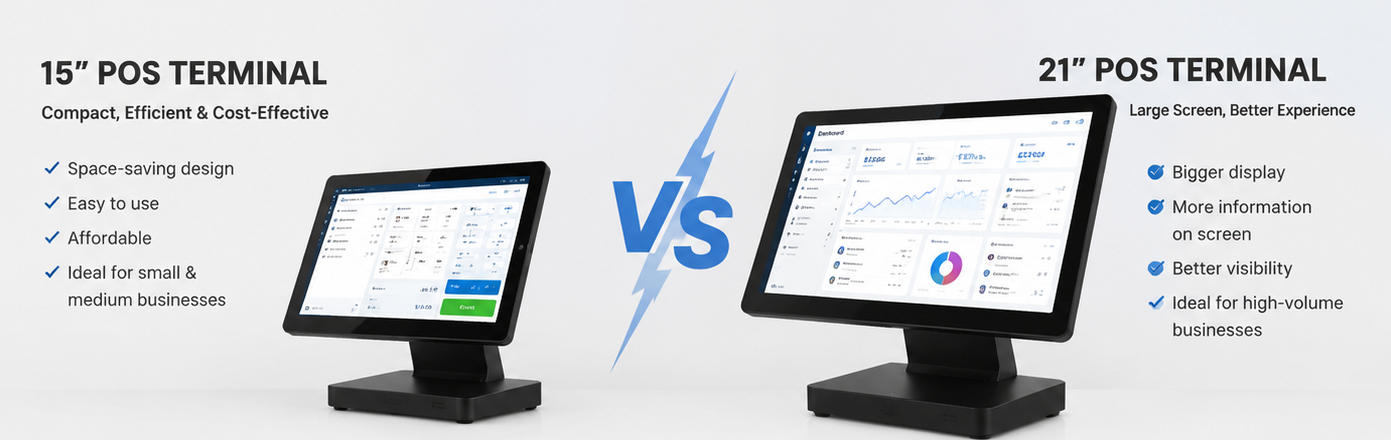
    Choosing the right screen size for a POS (Point of Sale) system is critical for both efficiency and customer experience. Businesses need a solution that balances usability, cost, and space considerations. Popular options include 12-inch, 15-inch, and 15.6-inch POS screens, each with distinct advantages. In this article, we compare these options, highlighting key differences to help businesses make an informed decision. 12 Inch POS vs 15 Inch POS: Understanding the Difference 12-Inch POS SystemsA 12-inch POS system is compact and highly suitable for businesses with limited counter space, such as small cafes, kiosks, or mobile food trucks. The smaller footprint makes it easy to install and reduces clutter. Additionally, a 12-inch screen is often more affordable, which can be a key factor for startups or small businesses. However, the smaller display may limit the amount of information visible on-screen at once. For operations that require extensive menu management, detailed analytics, or multi-tasking, a 12-inch screen might feel restrictive. 15-Inch POS SystemsA 15-inch POS system strikes a balance between screen size and usability. It offers a larger workspace, making it easier for staff to navigate menus, process orders, and manage inventory efficiently. The additional screen real estate improves clarity for detailed information, reducing errors and enhancing overall productivity. Many mid-sized restaurants, retail stores, and service businesses prefer 15-inch POS systems because they provide a comfortable user experience without taking up excessive counter space. 15.6-Inch POS Systems15.6-inch POS systems are designed for businesses that prioritize a larger, highly visible interface. This size is ideal for environments with multiple staff members interacting with the system simultaneously or for customer-facing displays. A 15.6-inch screen provides a clear, interactive experience, improving order accuracy and operational efficiency. The main trade-offs are higher cost and a larger footprint, which may not be suitable for compact counters or mobile operations. Key Considerations When Choosing a POS Screen Size Business Type and Space ConstraintsSmall businesses with limited counter space may benefit more from 12-inch systems, while mid-sized or high-volume operations often prefer 15- or 15.6-inch screens for easier multitasking. User ExperienceLarger screens reduce eye strain, improve navigation, and minimize input errors. If your staff frequently interacts with the POS system, opting for a larger display can enhance productivity. Customer InteractionFor customer-facing POS systems, such as self-service kiosks or quick-service restaurants, a larger 15.6-inch screen can improve visibility and engagement. BudgetWhile larger POS systems provide more functionality, they also come at a higher cost. Businesses must balance screen size with overall hardware investment. Aonpos: Providing Flexible POS Solutions Aonpos offers a range of POS systems, including 12-inch, 15-inch, and 15.6-inch models, designed to fit various business needs. Whether you are a small café, a retail store, or a full-service restaurant, Aonpos provides reliable hardware with intuitive interfaces to streamline operations. Conclusion When deciding between a 12-inch, 15-inch, or 15.6-inch POS system, businesses should consider space, usability, customer interaction, and budget. A 12-inch POS is ideal for compact setups, 15-inch offers a balance of functionality and space, and 15.6-inch delivers maximum visibility for high-traffic or customer-facing environments. Brands like Aonpos ensure that businesses can choose the right size without compromising on performance or durability. By assessing your specific needs, you can select a POS system that enhances operational efficiency and customer satisfaction.
  • What Features Should a POS System Have in 2026?
    What Features Should a POS System Have in 2026? May 11, 2026
    As businesses adapt to the fast-paced retail environment, having the right POS features is essential for efficiency, customer satisfaction, and growth. In 2026, a modern Point of Sale (POS) system is more than a tool for processing transactions—it’s a strategic platform that connects sales, inventory, analytics, and customer management. Here’s a guide to the best POS features that every business should consider. Cloud-Based Accessibility: The Future of POS Systems A cloud-based POS system allows businesses to access sales data, inventory updates, and reports from anywhere. This POS feature ensures that multi-location stores or mobile operations stay connected in real time. Cloud access improves flexibility and allows managers to make informed decisions, whether they’re on-site or on the go. Advanced Inventory Management for Smarter Operations Inventory management is a critical POS feature for preventing overstocking and stockouts. The best POS features include automatic stock tracking, predictive restocking using AI, and low-stock alerts. With these tools, businesses can optimize inventory, reduce waste, and save money while keeping shelves stocked efficiently. Integrated Payment Processing for Faster Transactions A top POS system should support multiple payment methods, including credit/debit cards, digital wallets, and contactless payments. Integrated payment processing ensures quick, secure transactions and enhances the customer experience. Modern POS features also include PCI-compliant security, giving customers peace of mind. CRM Tools to Boost Customer Loyalty The best POS features go beyond transactions—they help businesses build relationships. Integrated Customer Relationship Management (CRM) tools track purchase history, manage loyalty programs, and allow personalized promotions. By leveraging these insights, companies can create targeted marketing campaigns that increase customer retention. Analytics and Reporting: Making Data-Driven Decisions Data is a powerful tool in modern retail. POS analytics provide insights into sales trends, employee performance, and inventory movement. The best POS features include customizable reporting dashboards that help business owners make informed decisions, identify opportunities, and improve operational efficiency. Omnichannel Integration: Seamless Online and Offline Sales In 2026, customers expect a unified shopping experience. POS systems with omnichannel integration connect physical stores, e-commerce platforms, and delivery apps. Businesses can manage orders, inventory, and customer data from a single system, ensuring consistent service across all channels. Security Features to Protect Your Business With cyber threats on the rise, security is a must-have POS feature. Look for end-to-end encryption, secure user authentication, and compliance with industry standards like PCI DSS. A secure POS system protects sensitive customer information and safeguards your business from data breaches. User-Friendly Interfaces for Staff Efficiency A POS system should simplify operations, not complicate them. Modern POS features include intuitive touchscreen interfaces, easy navigation, and minimal training requirements. By reducing friction at checkout, staff can serve customers faster and more efficiently. Scalability and Customization: Grow Without Limits As businesses expand, their POS systems need to grow with them. The best POS features include modular add-ons, multi-store management, and customizable reporting. Scalable systems allow businesses to adapt without replacing their POS infrastructure. Reliability and Support: Choosing a Trusted Provider Reliability is crucial in any POS system. Look for vendors that offer robust customer support, regular software updates, and proven uptime. Companies like Aonpos provide POS solutions combining advanced features, scalability, and dependable support, ensuring businesses are prepared for both current and future needs. Conclusion The best POS features in 2026 go far beyond simple transaction processing. From cloud-based access and advanced inventory management to CRM, analytics, omnichannel integration, and security, modern POS systems are essential for competitive, efficient businesses. Choosing a reliable provider like Aonpos ensures you get a system that is scalable, secure, and fully equipped to meet the demands of the modern retail landscape. By focusing on these essential POS features, businesses can enhance operations, improve customer experience, and drive growth in an increasingly digital marketplace.
  • What Payment Technologies Should a POS Support?
    What Payment Technologies Should a POS Support? May 10, 2026
    In today’s fast-paced retail and hospitality industries, having a reliable payment POS system is essential for business success. Customers expect fast, secure, and flexible payment options, from traditional cards to digital wallets. Modern POS solutions, including contactless POS and NFC POS technologies, not only streamline transactions but also enhance the overall shopping experience. Investing in a versatile payment POS system ensures that your business stays competitive, meets customer expectations, and adapts to evolving payment trends. Contactless POS: Speed and Convenience for Modern Customers Contactless payments have quickly become a preferred method for consumers worldwide. A contactless POS allows customers to complete transactions simply by tapping their card, smartphone, or wearable device, eliminating the need for cash or PIN entry. This method not only speeds up checkout lines but also reduces physical contact, which has become increasingly important in today’s health-conscious environment. By implementing a contactless POS, businesses can provide a faster, smoother, and safer payment experience, increasing customer satisfaction and loyalty. NFC POS: Supporting Digital Wallets and Secure Transactions Near Field Communication (NFC) technology is a core component of modern contactless payments. An NFC POS system can read data from smartphones, smartwatches, and contactless cards, enabling secure transactions through digital wallets such as Apple Pay, Google Wallet, and Samsung Pay. NFC POS systems encrypt transaction data, protecting both businesses and customers from fraud. For businesses, adopting NFC POS ensures compatibility with emerging payment methods, allowing them to stay ahead of market trends and meet evolving consumer expectations. Comprehensive Payment POS Systems Beyond Cards A high-performing payment POS system should not be limited to card or contactless payments. It should also support EMV chip cards, QR code payments, and even biometric authentication for added security. Beyond payment processing, modern POS systems integrate features like inventory management, loyalty programs, and detailed sales reporting. This makes the POS system a central tool for business operations, helping companies streamline workflows, optimize stock levels, and provide personalized offers to customers. A comprehensive payment POS system ensures that every transaction contributes to operational efficiency and better decision-making. Choosing a Reliable POS Provider: Why AonPOS Stands Out Selecting the right POS provider is critical for business success. Aonpos offers advanced POS systems that integrate contactless and NFC payment technologies, providing a secure and versatile payment experience. With scalable solutions that support multiple payment methods, businesses can adapt to evolving consumer preferences without compromising speed or security. Additionally, Aonpos ensures compliance with industry standards, giving businesses peace of mind while improving transaction efficiency. Conclusion Supporting multiple payment technologies is no longer optional—it’s a necessity for businesses aiming to deliver seamless customer experiences. A payment POS system that includes contactless POS and NFC POS capabilities provides faster transactions, improved security, and greater customer satisfaction. Choosing a reliable provider like Aonpos ensures your system is scalable, compliant, and ready for future payment innovations. By upgrading your POS system today, you can enhance operational efficiency, build trust with customers, and future-proof your business in an increasingly digital marketplace.
  • What is Self-Service POS and Self-Checkout Technology?
    What is Self-Service POS and Self-Checkout Technology? May 09, 2026
    In the increasingly competitive retail landscape, providing speed, convenience, and efficiency is no longer optional—it’s essential. Self-service POS and self-checkout technology have emerged as key innovations that transform how customers interact with stores. By enabling shoppers to complete transactions independently, these systems reduce wait times, improve operational efficiency, and enhance overall customer satisfaction. What is a Self-Service POS? A self-service POS (point-of-sale) system is designed to allow customers to scan, pay for, and complete their purchases without direct assistance from a cashier. Unlike traditional POS systems, these self-service solutions focus on empowering customers to manage the transaction process independently. Key benefits of self-service POS include: Faster checkout times: Reduces long queues and improves customer flow. Operational efficiency: Allows staff to focus on customer support and other high-value tasks. Data insights: Provides detailed analytics on sales, inventory, and consumer behavior. How Kiosk POS Systems Work A kiosk POS system is the hardware and software platform that powers self-checkout technology. Typically, it includes: Touchscreen interface for item scanning and selection. Barcode scanners and RFID readers. Integrated payment terminals supporting cashless and contactless options. Optional features like loyalty program integration, digital receipts, and real-time reporting. Providers like Aonpos offer robust kiosk POS solutions that balance usability, security, and functionality. These systems are designed to minimize errors, prevent theft, and ensure a seamless user experience. Advantages of Self-Checkout Technology for Retailers Implementing self-service POS solutions offers multiple strategic benefits: Enhanced Customer ExperienceShoppers can control the pace of their checkout, reducing frustration and wait times. Cost EfficiencyAutomating routine checkout processes allows retailers to allocate staff to other value-added roles, optimizing labor costs. Operational InsightsSelf-checkout systems provide detailed data analytics, helping businesses track inventory, monitor sales trends, and adjust strategies in real-time. Scalability and AdaptabilityModern kiosk POS systems can be easily scaled to multiple locations, supporting omnichannel retail strategies. Security and Usability Considerations While self-checkout systems improve efficiency, security remains a critical focus. Advanced kiosk POS systems integrate: Secure payment encryption protocols. Anti-theft and loss prevention technologies. Intuitive user interfaces to minimize customer errors. A well-implemented system ensures a safe and smooth transaction process while maximizing reliability and trust. Conclusion Self-service POS and self-checkout technology are more than just a convenience—they are a strategic investment in the future of retail. By adopting solutions like Aonpos kiosk POS systems, retailers can streamline operations, enhance customer satisfaction, and gather actionable business insights. As retail trends continue to evolve toward automation and personalization, integrating self-service technology is becoming a competitive necessity.
  • What is Mobile POS (mPOS) and When Should You Use It?
    What is Mobile POS (mPOS) and When Should You Use It? May 08, 2026
    Understanding Mobile POS (mPOS) and When to Use It In today’s fast-paced retail and service environments, businesses are constantly seeking ways to enhance customer experiences and streamline operations. One technology gaining significant traction is the mobile POS (mPOS) system. But what exactly is mPOS, and when should a business consider implementing it? What is Mobile POS (mPOS)? A mobile POS system is a portable point-of-sale solution that allows businesses to process payments using a smartphone, tablet, or dedicated mobile device. Unlike traditional fixed POS terminals, mPOS systems offer the flexibility to operate anywhere within the store—or even offsite—making them ideal for modern retail, hospitality, and service businesses. Key Advantages of mPOS Flexible CheckoutOne of the biggest trends driving mPOS adoption is flexible checkout. Customers no longer need to wait in long lines at a fixed counter; staff equipped with mobile devices can process transactions anywhere on the sales floor. This not only improves customer satisfaction but also allows businesses to serve more customers in less time. Queue BustingLong queues can frustrate customers and reduce overall sales. Mobile POS systems enable queue busting—employees can handle transactions on the spot, significantly cutting down wait times and improving flow during peak hours. Scalability and IntegrationModern mPOS solutions, like those offered by Aonpos, integrate seamlessly with inventory management, customer loyalty programs, and analytics platforms. This integration provides real-time insights and allows businesses to scale operations without investing in extensive hardware infrastructure. When Should You Use mPOS? During High Traffic Periods: When stores experience peak hours or seasonal rushes, deploying mobile POS devices can prevent bottlenecks and enhance the customer experience. In Pop-Up or Temporary Locations: Mobile POS is ideal for events, trade shows, or temporary retail setups where a traditional POS system isn’t practical. For On-the-Go Services: Restaurants, cafes, or service providers that offer table-side or curbside payments can leverage mPOS to process transactions seamlessly and securely. For Flexible Business Models: Businesses experimenting with new sales strategies, such as roaming sales associates or multi-location operations, can benefit from the mobility and adaptability of an mPOS system. Choosing the Right mPOS Solution Selecting the right mPOS solution depends on your business needs. Key factors to consider include ease of use, payment security, device compatibility, and the ability to integrate with your existing systems. Aonpos, for instance, provides robust mobile POS solutions designed for retailers and service providers seeking efficiency and flexibility without compromising on functionality. Conclusion Mobile POS systems are no longer a luxury—they are becoming an essential tool for businesses aiming to enhance customer experiences, reduce queues, and increase operational efficiency. By understanding the benefits and strategic applications of mPOS, businesses can make informed decisions and stay ahead in a competitive market. With trends like flexible checkout and queue busting shaping the retail landscape, adopting an mPOS solution is a step toward a more agile and customer-friendly business model.
  • POS Software vs Hardware: A Strategic Comparison for Modern Businesses
    POS Software vs Hardware: A Strategic Comparison for Modern Businesses May 06, 2026
    Understanding the distinction between POS software and hardware is no longer a basic technical question—it is a strategic decision that directly impacts operational efficiency, scalability, and customer experience. As POS systems evolve into comprehensive business infrastructures, companies must evaluate not only what each component does, but how they interact within a unified ecosystem. This article provides a structured, professional comparison of POS software vs hardware, with a focus on decision-making for retail, restaurant, and multi-location business environments. Defining POS Software and POS Hardware POS software refers to the digital system that manages transactions, business logic, and operational data. It includes modules for sales processing, inventory management, reporting, CRM, and integrations with third-party systems. POS hardware, by contrast, consists of the physical devices used to execute transactions and interact with both staff and customers. These include POS terminals, touchscreens, barcode scanners, receipt printers, and payment devices. While software defines how the business operates, hardware determines how efficiently those operations are executed in real-world environments. POS Software vs Hardware: Core Functional Differences The table below highlights the fundamental differences from a system architecture and operational perspective: Dimension POS Software POS Hardware Core Role Transaction logic & data processing Transaction execution & user interaction Nature Intangible (cloud or local application) Physical equipment Flexibility Highly configurable, scalable Limited by form factor and specifications Upgrade Cycle Frequent (updates, patches, SaaS improvements) Slower (hardware replacement or upgrades) Cost Structure Subscription or license-based One-time investment + maintenance Integration Connects with ERP, CRM, payment gateways Connects with software and peripherals Dependency Requires hardware to operate in physical stores Requires software to function meaningfully Operational Impact: Where the Differences Matter Beyond definitions, the distinction between POS software vs hardware becomes critical in operational scenarios. 1. Speed and Efficiency Software determines transaction flow and automation level. Hardware determines checkout speed, responsiveness, and durability under high-volume conditions. For example, in quick-service restaurants, even minor hardware latency can create bottlenecks, regardless of how optimized the software is. 2. Scalability Software scales horizontally (new locations, users, features). Hardware scales physically (additional terminals, kiosks, peripherals). Businesses planning multi-location expansion must ensure both layers scale in parallel, not independently. 3. Reliability and Downtime Risk Factor Software Risk Hardware Risk Failure Type Bugs, crashes, connectivity issues Physical wear, overheating, component failure Recovery Restart, patch, cloud redundancy Repair, replacement, spare units required Business Impact Data disruption Transaction interruption A resilient POS strategy requires redundancy in both layers—not just cloud backups, but also reliable, industrial-grade hardware. 4. User Experience POS software influences: Interface design Workflow complexity Training requirements POS hardware influences: Touch responsiveness Screen visibility Ergonomics and counter layout The best user experience comes from aligning intuitive software with purpose-built hardware—not mixing consumer-grade devices with enterprise workflows. Integration: Why Software and Hardware Must Be Designed Together One of the most common mistakes in POS deployment is treating software and hardware as separate procurement decisions. In reality: Poor hardware can limit software performance Incompatible software can underutilize hardware capabilities Disjointed systems increase maintenance complexity This is why many B2B buyers are shifting toward integrated POS ecosystems. AONPOS, for example, focuses on hardware systems designed to align with modern POS software environments—such as all-in-one terminals, dual-screen configurations, and industry-specific form factors for retail and hospitality. This approach reduces compatibility issues and simplifies deployment across different business scenarios. Industry-Specific Considerations Different industries prioritize different aspects of POS software vs hardware: Industry Software Priority Hardware Priority Retail Inventory accuracy, omnichannel sync Barcode scanning, durability Restaurants Order management, kitchen integration Touch speed, spill resistance Supermarkets High-volume processing Multi-terminal scalability Hospitality CRM, booking integration Mobility and design Healthcare Compliance, data security Reliability and hygiene Choosing the wrong balance can lead to inefficiencies that compound over time. Strategic Buying Perspective When evaluating POS systems, decision-makers should avoid asking: “Which is more important: software or hardware?” Instead, the better question is: “How well are the software and hardware designed to work together for my specific business model?” For a deeper breakdown of how to select the right POS system across industries, you can refer to this comprehensive guide:https://www.aonpostech.com/best-pos-system-for-restaurants-retail-in-2026-complete-b2b-buyer-guide Future Trends: Convergence of Software and Hardware The line between POS software and hardware is becoming increasingly blurred due to: Cloud-native POS platforms Android-based POS terminals AI-driven analytics integrated into POS systems Self-service kiosks and unattended retail In this evolving landscape, hardware is no longer just a tool—it is becoming an extension of the software experience. Companies that align both layers strategically will gain a measurable advantage in speed, consistency, and scalability. Conclusion The difference between POS software vs hardware is foundational—but the real value lies in their integration. Software delivers intelligence, automation, and insights Hardware delivers execution, speed, and physical reliability Businesses that treat them as a unified system—not separate components—are better positioned to optimize operations and scale efficiently. For B2B buyers, especially in retail and hospitality, investing in compatible, purpose-built POS infrastructure is no longer optional—it is a competitive necessity.
  • What Hardware is Included in a POS System?
    What Hardware is Included in a POS System? May 04, 2026
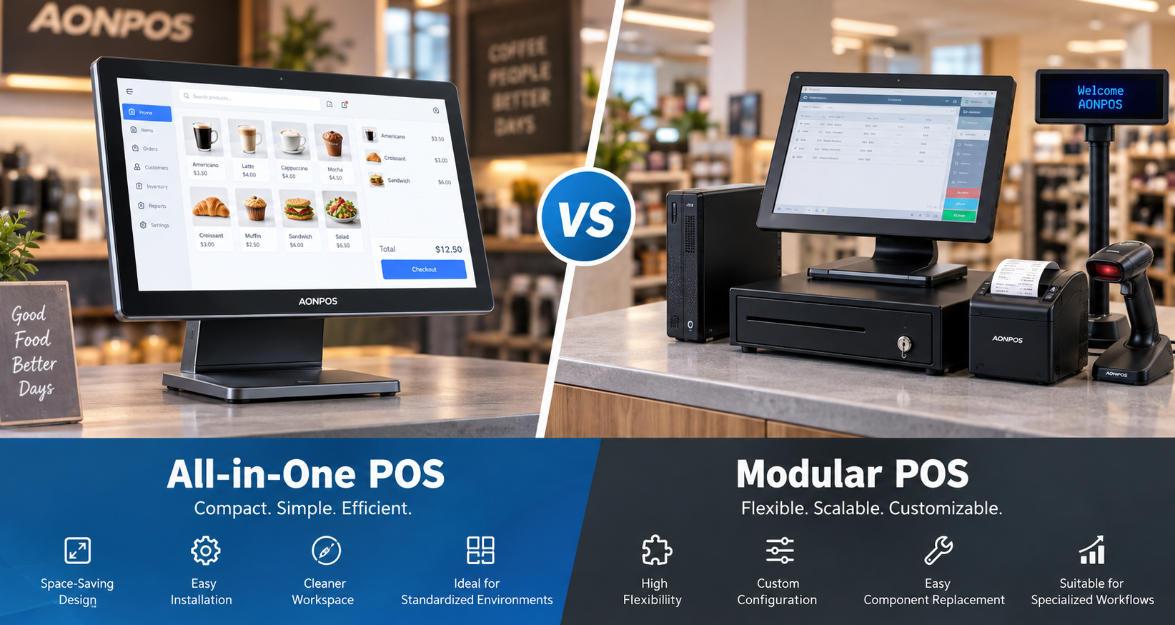
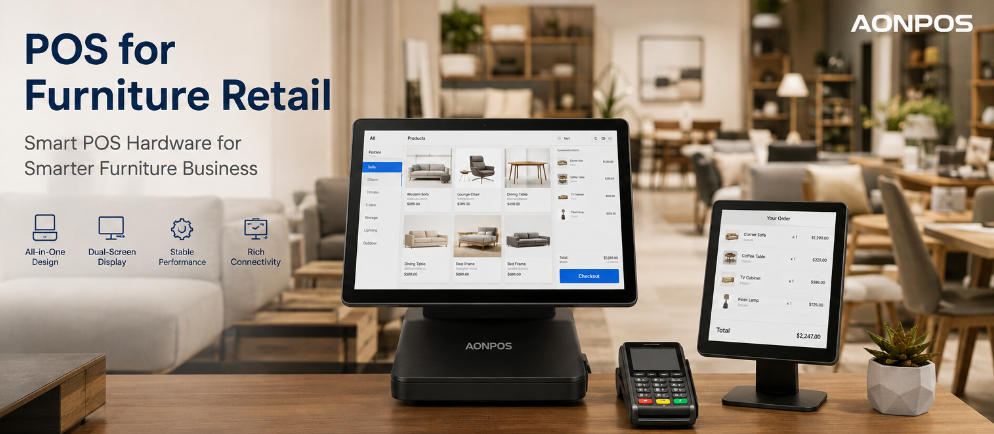
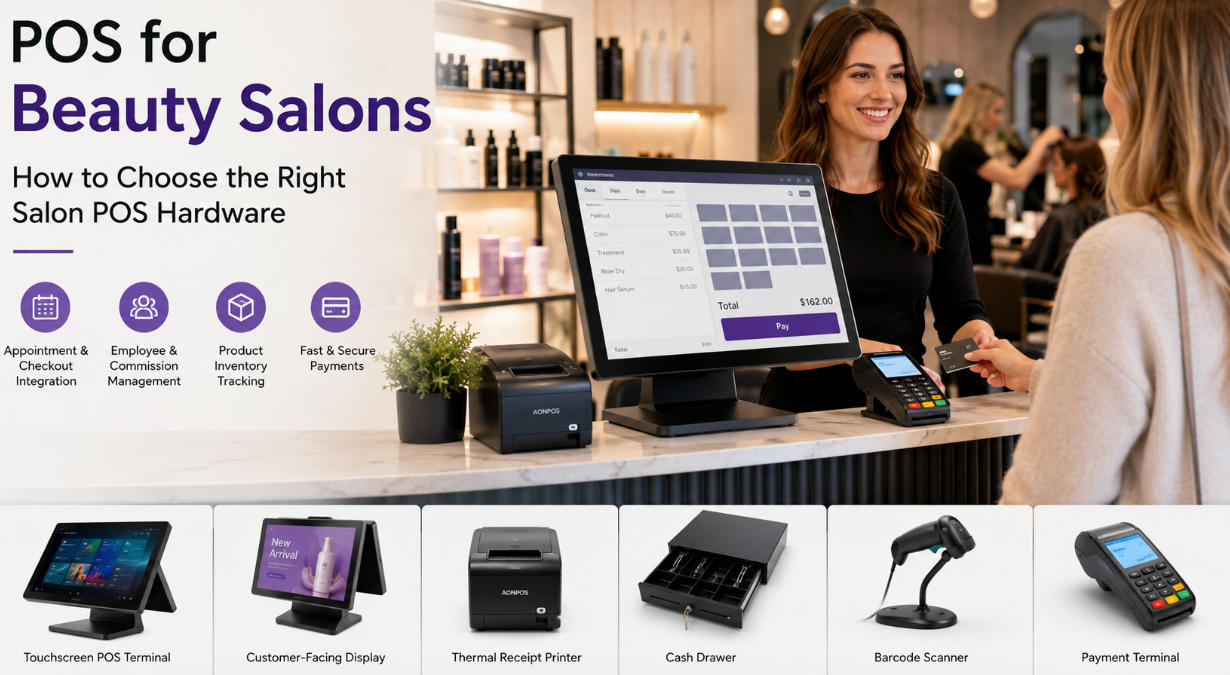
    A modern point-of-sale solution is no longer just a cash register. Today, businesses rely on a complete ecosystem of POS hardware to manage transactions, inventory, customer data, and payment security. Whether you run a restaurant, retail store, supermarket, or hospitality business, understanding the right POS terminal components is essential before investing in a new system. This guide explains the core POS devices included in a POS system, how each component works, and how businesses can choose the right hardware setup for long-term operational efficiency. Why POS Hardware Matters Software often gets most of the attention in POS discussions, but the physical hardware directly impacts speed, durability, and customer experience. High-quality POS hardware helps businesses: Reduce checkout time Improve order accuracy Support multiple payment methods Simplify staff training Lower maintenance costs Improve counter organization For industries with high transaction volume, reliable POS devices can directly affect revenue and customer satisfaction. 1. POS Terminal: The Core of Every POS System The POS terminal is the primary device used to run sales operations. It functions as the central control unit where staff process orders, manage products, check inventory, and complete transactions. Common POS terminal formats include: All-in-One POS Terminal An all-in-one unit integrates display, processor, and operating system into one compact device. Benefits: Space saving Cleaner counter layout Easier installation Lower cable complexity Many modern businesses prefer all-in-one systems because they combine multiple POS terminal components into one streamlined solution. Modular POS System A modular setup separates monitor, computer, and peripherals. Benefits: Flexible upgrades Custom hardware selection Easier replacement of individual parts Businesses with unique workflows often choose modular POS hardware for scalability. 2. Touchscreen Display A touchscreen is one of the most important POS devices in modern retail and restaurant environments. Benefits include: Faster order entry Shorter employee onboarding Fewer manual input errors More intuitive navigation Many businesses now use capacitive touchscreens for better durability and smoother user interaction. Dual-Screen POS Displays A dual-screen configuration includes: Operator display Customer-facing display Customer displays improve transparency by showing: Order details Payment totals Promotions Loyalty programs Brands like Aonpos offer dual-screen and all-in-one POS solutions designed for retail and restaurant operations, where customer interaction is part of the buying experience. 3. Receipt Printer Receipt printers remain standard POS terminal components for both restaurants and retail stores. Main printer types: Thermal Receipt Printer Most common option. Advantages: Fast printing Quiet operation Lower maintenance No ink required Impact Printer Still used in some kitchen environments. Advantages: Multi-copy printing Durable in heat-heavy conditions Receipt printers are essential POS hardware for: Transaction confirmation Returns and exchanges Kitchen ticket printing Audit trails 4. Cash Drawer Although digital payments continue to grow, many businesses still accept cash. A cash drawer is a secure storage unit connected to the POS system. Functions: Organizes bills and coins Opens automatically after cash transactions Supports shift balancing and reconciliation For hybrid payment businesses, cash drawers remain a necessary part of POS devices. 5. Barcode Scanner A barcode scanner is critical for businesses managing large inventories. Use cases: Product lookup Inventory management Checkout acceleration Pricing accuracy Scanner types: Handheld Scanner Best for: Retail stores Warehouses Inventory audits Fixed Scanner Best for: Grocery stores High-volume checkout lanes Barcode scanners are among the highest ROI POS hardware investments because they significantly reduce manual errors. 6. Card Reader and Payment Terminal A payment terminal allows businesses to accept: EMV chip cards Magnetic stripe cards NFC/contactless payments Mobile wallets Modern payment readers are essential POS terminal components for payment flexibility and security compliance. Important features: PCI compliance Encryption Contactless support Fast transaction approval Restaurants and retail businesses should prioritize payment hardware that supports future payment trends. 7. Customer Display Customer-facing displays are increasingly common POS devices. Benefits: Order verification Reduced disputes Upsell promotions Branding opportunities This hardware is especially valuable in restaurants and quick-service environments. 8. Additional POS Devices Depending on industry needs, businesses may also require extra POS hardware: Kitchen Display System (KDS) Used in restaurants to replace paper tickets. Label Printer Used for: Pricing labels Shipping labels Shelf tags Cash Counting Machine Useful for high-cash environments. Weighing Scale Common in grocery and food retail. Handheld POS Device Mobile checkout for: Table service Pop-up stores Inventory scanning These specialized POS devices help businesses customize workflows. How to Choose the Right POS Hardware When selecting POS hardware, businesses should evaluate: Business Type A restaurant needs different POS terminal components than a retail store. Counter Space Compact counters benefit from all-in-one terminals. Transaction Volume High-volume businesses need durable hardware. Expansion Plans Scalable systems reduce future replacement costs. Integration Compatibility Hardware should work seamlessly with POS software and payment providers. For businesses comparing solutions, reviewing a complete buyer guide can help narrow down the best hardware-software combination. Recommended Reading:Learn how to choose the best POS system for your business in this complete B2B guide:https://www.aonpostech.com/best-pos-system-for-restaurants-retail-in-2026-complete-b2b-buyer-guide Conclusion A complete POS system typically includes several essential POS hardware components: POS terminal Touchscreen display Receipt printer Cash drawer Barcode scanner Payment terminal Customer display Additional POS devices may include kitchen displays, label printers, handheld terminals, and scales depending on industry requirements. Understanding these POS terminal components helps businesses invest in systems that improve efficiency, enhance customer experience, and support long-term growth. As businesses increasingly move toward integrated solutions, manufacturers such as Aonpos continue developing all-in-one and dual-screen POS hardware designed for restaurants, retail stores, and supermarkets.
1 2

A total of2pages

Need Help? Chat with us

leave a message
For any request of information or technical support, fill in the form. All fields marked with an asterisk* are required.
Submit

Home

Products

whatsApp

contact