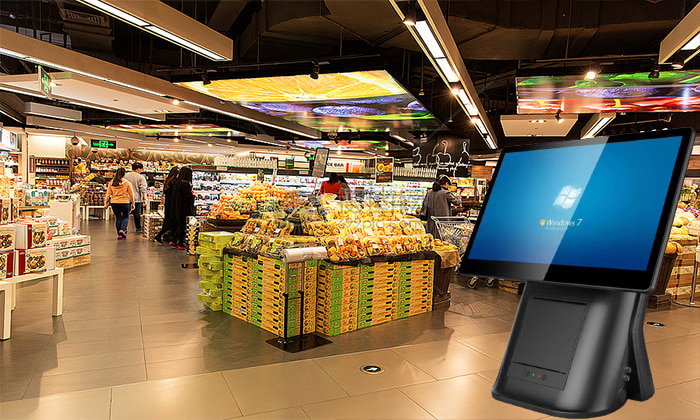
Aonpos all in one pos
  • Maintenance and Care Tips for POS System Hardware
    Maintenance and Care Tips for POS System Hardware Jul 15, 2023
    Desktop POS are essential devices in the business world and require regular maintenance and care to ensure they operate properly and have a longer lifespan. In this article, we will discuss some hardware maintenance and care techniques for POS machines. 1. Regular cleaning: The exterior and display of POS machines should be cleaned regularly to keep them clean and tidy. Use a soft, dry cloth to wipe them and avoid using cleaning agents containing alcohol or chemicals that may damage the outer shell or display of the POS machine. 2. Avoid overuse: POS machines require appropriate rest time, as overuse may cause them to overheat or become damaged. It is recommended to use multiple All in one POS in rotation during peak periods to prevent overuse. 3. Regular replacement of consumables: The printer consumables of POS machines, such as printing paper and ink cartridges, should be replaced regularly. Printing paper should be stored in a dry place to prevent dampness and deterioration. High-quality ink cartridges should be used to avoid using low-quality ones that may damage the printer. 4. Regular checking of connections: The connections between various hardware components of the retail touch pos should be checked regularly to ensure they are secure and functioning properly. If any loose or damaged connections are found, they should be replaced or repaired promptly. 5. Regular maintenance: POS machines should be maintained regularly, such as cleaning the memory, upgrading software, checking hardware faults, etc. This can ensure that the POS machine operates normally and without any problems. 6. Hardware protection: POS machines should be placed in a safe place, avoiding exposure to high temperatures, moisture, dust, and other harmful substances. In addition, a protective cover or case should be used to prevent damage or falling. These are some basic hardware maintenance and care techniques for Desktop Cash Register.By performing regular maintenance and care, POS machines can operate normally, have a longer lifespan, and reduce maintenance and replacement costs. If you have any questions or need more help, please consult the POS machine supplier or technical support personnel.
  • Benefits of using desktop POS hardware
    Benefits of using desktop POS hardware Jul 11, 2023
    A POS (Point of Sale) system is a crucial component of modern businesses. As the trend towards digitization and automation continues to evolve, the all in one pos has evolved from a simple cash register to a sophisticated system with more features and capabilities. In this fast-paced business world, using a desktop POS system can bring many benefits, some of which are listed below: 1. Improve Efficiency Using a desktop POS system can greatly improve a merchant's efficiency. It can help simplify many tasks such as transaction processing, inventory management, sales, and customer information tracking, among others. This allows merchants to complete these tasks more quickly and invest more time and resources into other aspects of their business. 2. Provide More Functionality Desktop POS machine can do more than just basic transaction processing. They can provide additional functionality such as generating reports, managing employees, and customer relationship management, among other things. Merchants can select the appropriate features based on their needs to improve the efficiency and quality of their business. 3. Enhance Customer Experience Desktop billing system can help merchants improve the customer experience. They can track a customer's purchase history and preferences to provide better service and recommendations. Additionally, they can help merchants complete transactions and process refunds more quickly, thereby increasing customer satisfaction. In summary, using a desktop cashier system can bring many benefits, from improving efficiency to enhancing the customer experience.
  • Drawbacks of not using a desktop POS system
    Drawbacks of not using a desktop POS system Jul 11, 2023
    A POS (Point of Sale) system is a crucial component of modern businesses. However, some merchants may choose not to use a desktop POS system and instead opt for other ways to process transactions and manage their business. Although these methods may have some advantages, they also have some disadvantages. Here are some drawbacks of not using a desktop POS system: 1. Slow Processing Speed Using alternative methods to process transactions may be slower than using a desktop biling machine. For example, using paper receipts or manually recording sales information may consume more time and effort. This may result in merchants missing out on some business opportunities and decreasing their efficiency. 2. Prone to Errors If merchants manually record sales information or process refunds, errors may occur. For example, they may enter incorrect prices or quantities or forget to record certain items. These errors may affect the quality of merchants' business and may lead to customer complaints. 3. Lack of Functionality Not using a desktop cash register may result in merchants lacking some necessary functionality. For example, they may be unable to track customer purchase history or preferences, or generate reports or manage inventory. This may make it difficult for merchants to manage their business and may cause them to miss out on opportunities. In summary, not using a POS machine may have some drawbacks, such as slow processing speed, prone to errors, and lack of functionality. Therefore, merchants should consider using a POS system to improve the efficiency and quality of their business.
  • Elevate Sales and Service Experience with a Brilliant Dual Screen Capacitive Touch Multifunction POS System - AP14D
    Elevate Sales and Service Experience with a Brilliant Dual Screen Capacitive Touch Multifunction POS System - AP14D Jul 04, 2023
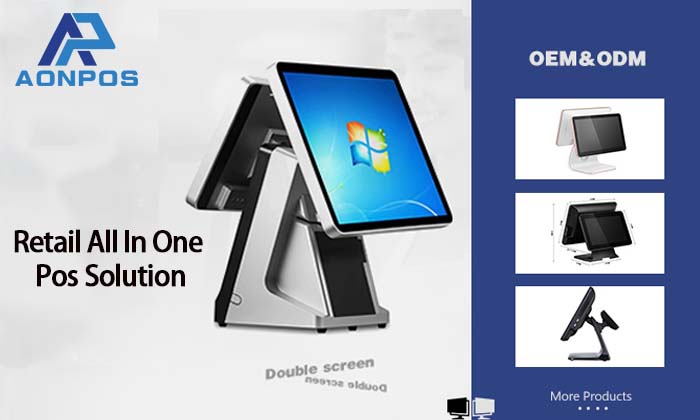
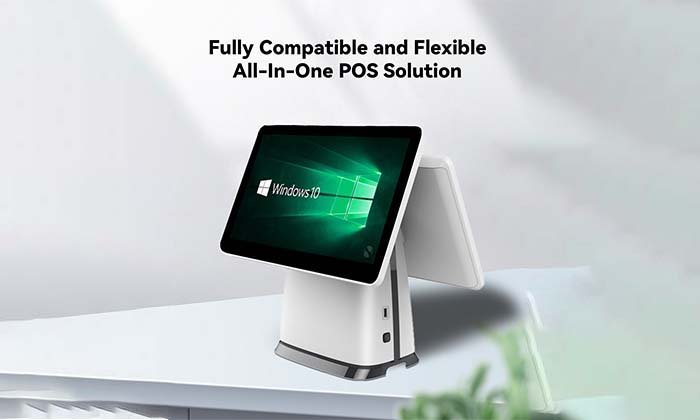
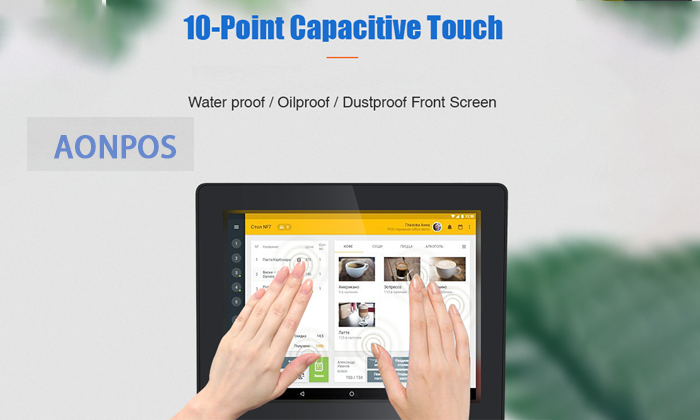
    Dear POS system merchant: This article is to introduce our outstanding product - 15"+15" capacitive touch dual screen multifunctional POS machine, model AP14D. This windows all in one Pos is a powerful hardware solution designed to meet the needs of the retail and F&B industries to enhance the sales and service experience. The AP14D supermarket cash register incorporates advanced technology and high-performance components to open up new possibilities for your business. Let me introduce you to some key features and benefits: Processor: AP14D retail billing machine can be equipped with Intel® J1800/J1900/I3/I5/I7 processors, which provide powerful computing capabilities for efficient data processing and application running. Memory and storage: AP14D provides 2GB/4GB/8GB memory and 32GB/64GB/128GB/256GB SSD hard disk options, allowing you to choose the appropriate configuration to store large amounts of data and applications. Operating system: You can choose Windows 7, Windows 8 or Windows 10 according to your preferences and requirements, providing a stable and user-friendly interface. Dual-screen design: AP14D smart pos hardware adopts 15-inch capacitive touch 10-point touch main screen and 12-inch/15-inch secondary screen, providing a larger working space and enhanced user experience. You can display product information, prices, and sales data at the same time, easily process transactions and meet customer needs. Optional multi-function: AP14D desktop pos machine provides optional functions such as card reader, face recognition camera, speaker, WiFi, NFC, etc., and provides customized solutions according to your specific needs to expand your business capabilities. The strength of the AP14D touch pos device is not just its superior features and performance; we are committed to providing technical support and service. With our professional technical team, we are always ready to provide timely responses and solutions. We understand the importance of stability and reliability to a business, and we strive to provide excellent after-sales support to keep your business running smoothly. The 15 inch all in one pos AP14D is widely used in various fields of retail and catering industry. Whether it is a supermarket, convenience store, restaurant or coffee shop, it can help optimize the sales process and improve work efficiency. If you are interested in the dual screen all in one pos AP14D and want to learn more or schedule a demo, we are here to help. Please feel free to contact us and let us provide you with customized solutions to help you stand out in the competitive market. Company name: Shenzhen Aonpos Technology Co., Ltd. Website: www.aonpostech.com E-mail: nikki@aonpostech.com
  • Choosing a High-Quality Cash Register System Supplier: A Comprehensive Guide May 08, 2023
    Introduction: Selecting a reliable and high-quality cash register system supplier is a crucial decision for any business. The right supplier can provide you with not only a top-notch cash register system but also excellent support and service. In this article, we will explore the key factors to consider when choosing a cashier machine hardware supplier to ensure a seamless and successful partnership. Evaluate Product Quality and Features: Begin by assessing the quality and features of the point of sale pos system offered by different suppliers. Look for suppliers that offer modern, technologically advanced systems with functionalities tailored to your specific business needs. Consider factors such as transaction speed, payment options, inventory management capabilities, and integration possibilities with other software or hardware components. Check Supplier Reputation and Experience: Research the reputation and experience of potential billing computer system suppliers. Look for suppliers with a strong track record of providing reliable and durable systems. Read customer reviews, testimonials, and case studies to gauge their level of customer satisfaction. A supplier with a solid reputation and extensive industry experience is more likely to deliver a high-quality product and excellent customer support. Assess Technical Support and Maintenance: Determine the level of technical support and maintenance provided by the supplier. Ensure they offer timely assistance, including hardware troubleshooting, software updates, and issue resolution. Look for suppliers that have a dedicated support team available through various channels, such as phone, email, or live chat. Additionally, inquire about their response time and service-level agreements to ensure prompt assistance when needed. Consider Scalability and Future Needs: Anticipate your business's future growth and consider whether the supplier's pos terminal machine systems can scale accordingly. Discuss with the supplier their ability to accommodate your expanding needs, such as additional registers, integration with new technologies, or support for multiple locations. A supplier that offers scalable solutions ensures long-term compatibility and minimizes the need for system replacements as your business evolves. Evaluate Pricing and Cost-Effectiveness: Compare the pricing structures of different suppliers and assess the overall cost-effectiveness of their offerings. Consider not only the upfront costs of the payment pos PC systems but also ongoing expenses such as licensing fees, maintenance charges, and potential upgrade costs. Aim for a supplier that offers competitive pricing without compromising on quality and support. Ensure Compliance and Security: Cash register systems handle sensitive customer data and payment information. Therefore, it's crucial to choose a supplier that prioritizes data security and compliance with relevant regulations. Inquire about their data encryption protocols, PCI DSS compliance, and adherence to industry best practices for safeguarding customer information. A supplier that demonstrates a strong commitment to data security helps protect your business and customers from potential breaches. Seek Recommendations and References: Reach out to other businesses in your industry or network to seek recommendations and references for cash register system suppliers. Discuss their experiences, ask about any challenges faced, and inquire about the strengths and weaknesses of different suppliers. Personal recommendations can provide valuable insights and help you make an informed decision. Conclusion: Choosing a high-quality cash register system supplier is crucial for the smooth and efficient operation of your business. By evaluating factors such as product quality, supplier reputation, technical support, scalability, pricing, compliance, and seeking recommendations, you can make a well-informed decision. Remember, a reliable supplier not only provides a top-notch cash register system but also offers ongoing support and assistance to ensure a successful partnership and contribute to your business's growth and success.
  • Shenzhen Aonpos Technology Co., Ltd May 08, 2023
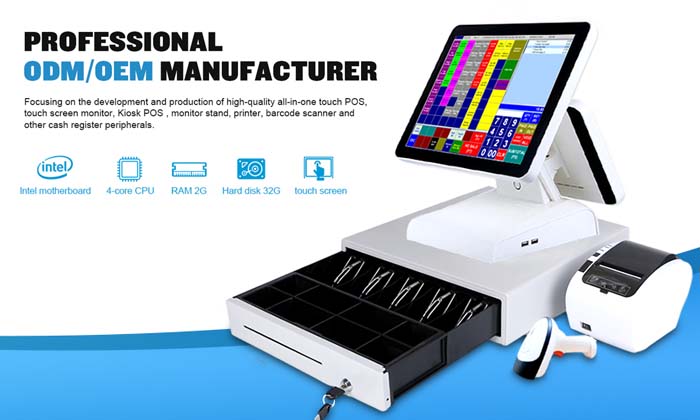
    Shenzhen Aonpos Technology Co., Ltd was established in , which is located in Shenzhen, China. Aonpos is a professional ODM/OEM manufacturer which focus on developing and producing high-quality touch POS terminals, cash drawer, printer and other peripherals.
1 2 3 4 5 6 7

A total of7pages

Need Help? Chat with us

leave a message
For any request of information or technical support, fill in the form. All fields marked with an asterisk* are required.
Submit

Home

Products

whatsApp

contact